Logo video2dn
  • Сохранить видео с ютуба
  • Категории
    • Музыка
    • Кино и Анимация
    • Автомобили
    • Животные
    • Спорт
    • Путешествия
    • Игры
    • Люди и Блоги
    • Юмор
    • Развлечения
    • Новости и Политика
    • Howto и Стиль
    • Diy своими руками
    • Образование
    • Наука и Технологии
    • Некоммерческие Организации
  • О сайте

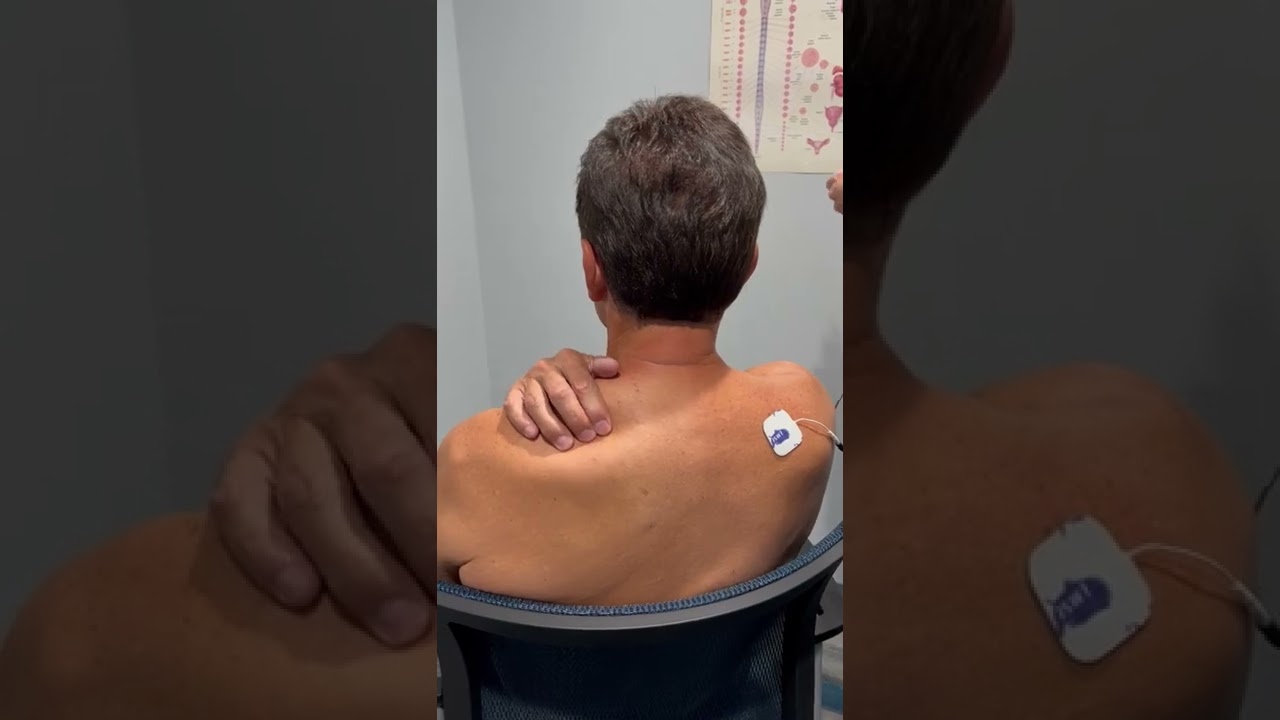
Скачать или смотреть Flex MT NMES TENS unit instructions for TMJ and Neck pain

  • Today's Headache
  • 2022-08-30
  • 21057
Flex MT NMES TENS unit instructions for TMJ and Neck pain
  • ok logo

Скачать Flex MT NMES TENS unit instructions for TMJ and Neck pain бесплатно в качестве 4к (2к / 1080p)

У нас вы можете скачать бесплатно Flex MT NMES TENS unit instructions for TMJ and Neck pain или посмотреть видео с ютуба в максимальном доступном качестве.

Для скачивания выберите вариант из формы ниже:

  • Информация по загрузке:

Cкачать музыку Flex MT NMES TENS unit instructions for TMJ and Neck pain бесплатно в формате MP3:

Если иконки загрузки не отобразились, ПОЖАЛУЙСТА, НАЖМИТЕ ЗДЕСЬ или обновите страницу
Если у вас возникли трудности с загрузкой, пожалуйста, свяжитесь с нами по контактам, указанным в нижней части страницы.
Спасибо за использование сервиса video2dn.com

Описание к видео Flex MT NMES TENS unit instructions for TMJ and Neck pain

Learn how to use the most commonly prescribed NMES TENS unit to help relieve muscle tension and pain.
How to set your Flex – MT Plus to the proper settings
FIRST- CHECK THE BATTERY- THE UNIT WILL NOT WORK IF IT IS PLUGGED INTO THE CHARGER OR OUTLET
Turn NMES unit on by green power button
Make sure mode is on EMS S
You can do this by holding the SET button until the number starts blinking.
Then you will tap the MODE button until it gets to EMS S
• A= Alternative
Which means pulses of the Channel 1 and Channel 2 will alternate. When Channel 1 is active Channel 2 will be inactive and vice versa.
• S= Synchronous
Which means Channel 1 and Channel 2 will be active at the same time.
The pulses active and inactive duration is controlled by the ON TIME and the OFF TIME.
We will set these in just a few moments.
Once you get the correct setting (EMS S) you will touch the SET button and it will prompt you through the rest of the settings.
You will first set the RAMP to 4 seconds
You can do this by touching the yellow arrow buttons. Then hit SET
Next you will set the ON TIME to 4 seconds
Again, you use the yellow arrows and then hit SET
Then you will set the OFF TIME to 4 seconds and hit SET again.
The RATE needs to be set to 90 hertz (Hz) – again using the yellow arrows and hitting SET
Last the WIDTH needs to be set to 110 microseconds (ms) and hit SET again.
Now you need to set the timer by touching the CLOCK button and again use the yellow arrows to change the time. We recommend 45 minutes.
After you have all your settings you can hold the KEY button until it shows on the screen. This means your settings are locked.
To use the unit, press the Key button to unlock and use the up arrows to start delivering stimulation to each set of muscles. Make sure that you increase the voltage slowly until you feel a comfortable vibration of your first set of muscles. You must feel that your muscles are contracting and then relaxing. Do the same for the other set of muscles. The rest periods are necessary in order to allow blood to flow back to the muscles. We are relaxing and retraining the muscles. Some patients can only tolerate one set of muscle stimulation. Let the unit work on the tightest muscles first.

Комментарии

Информация по комментариям в разработке

Похожие видео

  • О нас
  • Контакты
  • Отказ от ответственности - Disclaimer
  • Условия использования сайта - TOS
  • Политика конфиденциальности

video2dn Copyright © 2023 - 2025

Контакты для правообладателей [email protected]