Logo video2dn
  • Сохранить видео с ютуба
  • Категории
    • Музыка
    • Кино и Анимация
    • Автомобили
    • Животные
    • Спорт
    • Путешествия
    • Игры
    • Люди и Блоги
    • Юмор
    • Развлечения
    • Новости и Политика
    • Howto и Стиль
    • Diy своими руками
    • Образование
    • Наука и Технологии
    • Некоммерческие Организации
  • О сайте

Скачать или смотреть CEREC BioCopy (No Opposing, No Bite)

  • Dr. Elza
  • 2025-08-19
  • 202
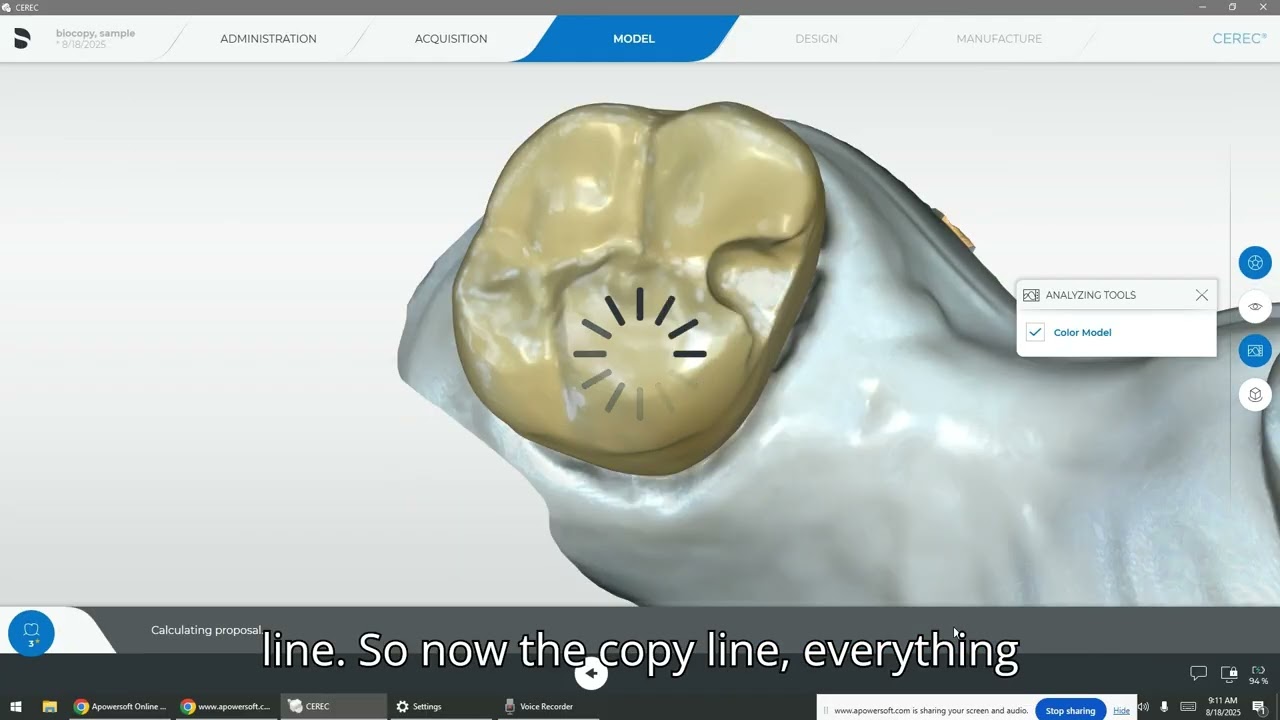
CEREC BioCopy (No Opposing, No Bite)
CERECBiocopyElza
  • ok logo

Скачать CEREC BioCopy (No Opposing, No Bite) бесплатно в качестве 4к (2к / 1080p)

У нас вы можете скачать бесплатно CEREC BioCopy (No Opposing, No Bite) или посмотреть видео с ютуба в максимальном доступном качестве.

Для скачивания выберите вариант из формы ниже:

  • Информация по загрузке:

Cкачать музыку CEREC BioCopy (No Opposing, No Bite) бесплатно в формате MP3:

Если иконки загрузки не отобразились, ПОЖАЛУЙСТА, НАЖМИТЕ ЗДЕСЬ или обновите страницу
Если у вас возникли трудности с загрузкой, пожалуйста, свяжитесь с нами по контактам, указанным в нижней части страницы.
Спасибо за использование сервиса video2dn.com

Описание к видео CEREC BioCopy (No Opposing, No Bite)

Understand the concept of Biocopy mode in CEREC.
Differentiate when and why to use the pre-operative scan and preparation scan only.
Perform a streamlined digital workflow for crown design using Biocopy.
Recognize clinical applications of Biocopy in everyday restorative dentistry.
Apply best practices for predictable, efficient results in patient care.

What is CEREC Biocopy?

CEREC Biocopy is a digital design technique that allows us to replicate the patient’s original anatomy or a temporary restoration by digitally referencing it. Rather than relying solely on biogeneric design or libraries, we can capture the exact form of a tooth before preparation and reproduce it in the final restoration.

This process ensures:

Preservation of occlusal relationships

Maintenance of patient comfort and function

Efficient restoration design with minimal adjustments

Step-by-Step Workflow (Pre-Op + Prep Scan)
1. Case Setup

Select the correct tooth number and restoration type (e.g., full coverage crown, onlay).

Choose Biocopy as your design mode instead of Biogeneric Individual or Biogeneric Copy.

2. Pre-Operative Scan

Capture the tooth before preparation (the "Pre-Op").

Scan adjacent teeth and opposing arch for occlusion.

Ensure complete capture of occlusal and interproximal details.

3. Preparation Scan

After tooth preparation, scan the prepared tooth.

Pay attention to finish lines, smoothness, and absence of voids.

Double-check the scan quality—this determines the accuracy of the restoration.

4. Model Alignment

The software overlays the pre-op and prep scans.

Confirm proper alignment to ensure accurate biocopy transfer.

5. Design Phase

CEREC will use the pre-op anatomy as the foundation for the new restoration.

Adjust for proper margins, contacts, and occlusion.

Fine-tune anatomy while maintaining the patient’s natural form.

6. Mill & Finish

Send to the milling unit (MC XL, Primemill, etc.).

After milling, adjust occlusion as needed and apply stain and glaze for esthetics.

Clinical Applications of Biocopy

Single-unit crowns where the original tooth morphology is intact.

Inlays/onlays where replication of occlusal anatomy preserves function.

Replicating temporaries for esthetics and patient satisfaction.

Cases with functional harmony that should be maintained (e.g., no major occlusal changes).


Tips for Success

Always verify occlusal clearance before milling.

Use high-quality scans with proper retraction for margin clarity.

Check adjacent and opposing teeth for proper interarch relationships.

Keep in mind: Biocopy is most effective when pre-op anatomy is ideal.

Educational Context

This video is part of the Digital Dentistry Curriculum at a dental university, designed to prepare students for modern, technology-driven clinical practice. CEREC Biocopy exemplifies how digital tools can enhance efficiency, accuracy, and patient outcomes.

As future clinicians, you will use this workflow to:

Improve turnaround time for restorations.

Delivery of restorations with minimal chairside adjustment.

Increase patient trust by preserving familiar tooth morphology.

Комментарии

Информация по комментариям в разработке

Похожие видео

  • О нас
  • Контакты
  • Отказ от ответственности - Disclaimer
  • Условия использования сайта - TOS
  • Политика конфиденциальности

video2dn Copyright © 2023 - 2025

Контакты для правообладателей [email protected]