Logo video2dn
  • Сохранить видео с ютуба
  • Категории
    • Музыка
    • Кино и Анимация
    • Автомобили
    • Животные
    • Спорт
    • Путешествия
    • Игры
    • Люди и Блоги
    • Юмор
    • Развлечения
    • Новости и Политика
    • Howto и Стиль
    • Diy своими руками
    • Образование
    • Наука и Технологии
    • Некоммерческие Организации
  • О сайте

Скачать или смотреть Panning Surround Sound Audio in FCP X (v 10.1.3)

  • Chris Swift
  • 2014-12-10
  • 1396
Panning Surround Sound Audio in FCP X (v 10.1.3)
FCPXFCP XSurround SoundPanning AudioFinal Cut Pro X
  • ok logo

Скачать Panning Surround Sound Audio in FCP X (v 10.1.3) бесплатно в качестве 4к (2к / 1080p)

У нас вы можете скачать бесплатно Panning Surround Sound Audio in FCP X (v 10.1.3) или посмотреть видео с ютуба в максимальном доступном качестве.

Для скачивания выберите вариант из формы ниже:

  • Информация по загрузке:

Cкачать музыку Panning Surround Sound Audio in FCP X (v 10.1.3) бесплатно в формате MP3:

Если иконки загрузки не отобразились, ПОЖАЛУЙСТА, НАЖМИТЕ ЗДЕСЬ или обновите страницу
Если у вас возникли трудности с загрузкой, пожалуйста, свяжитесь с нами по контактам, указанным в нижней части страницы.
Спасибо за использование сервиса video2dn.com

Описание к видео Panning Surround Sound Audio in FCP X (v 10.1.3)

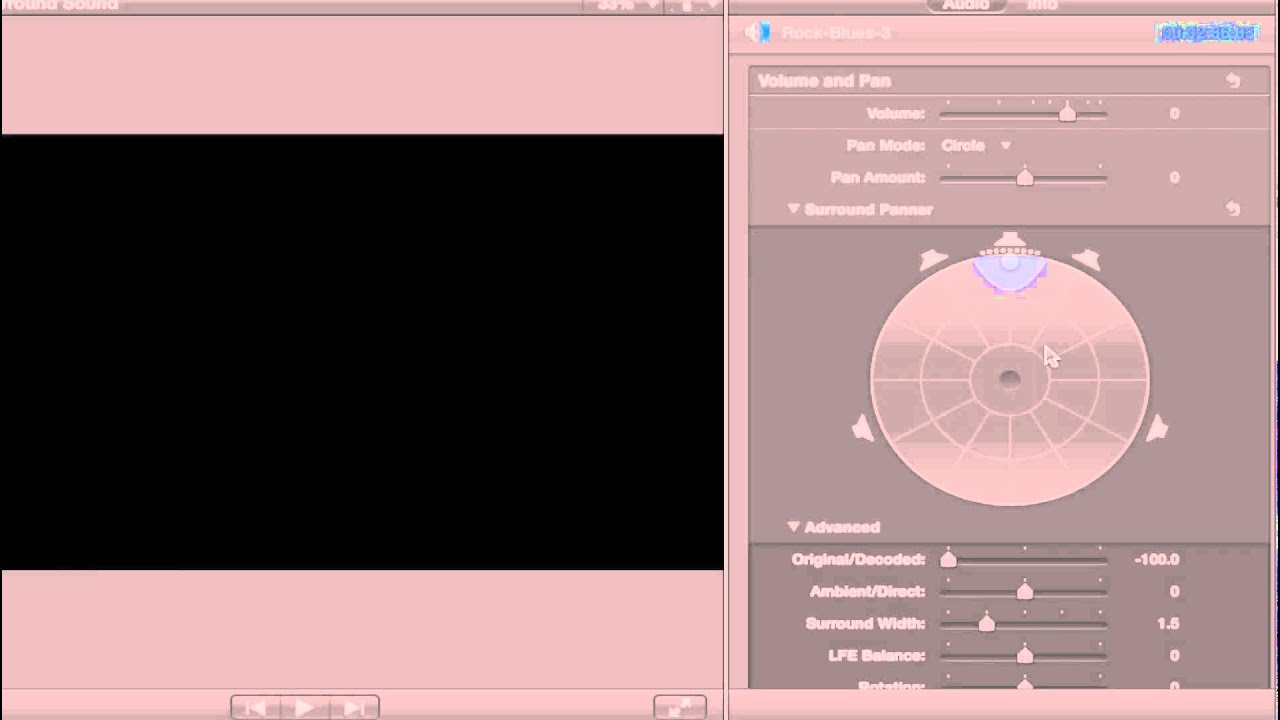
Here we explain and demonstrate every option you have in panning surround sound in FCP X. A details explanation of all the advanced settings follows:

Original/Decoded: This blends a balance between the original signal and the decoded one. Slider adjustments (-100 - +100) go from all original to all decoded.

Ambient/Direct: This slider balanced ambient sound (surround channels) with direct (center channel) where -100 is only the surround signal and +100 is only the center signal.

Surround Width: At a slider setting of 0 dB, all the surround channels are mono. Sliding to higher values increases the stereo in the surround channels as well as pushing some center channel signal to the surround channels.

LFE Balance: Also known as the subwoofer (Low Frequency Effects) and a slider setting of -1 dB pushes no signal to the LFE channel, +1 pushes all of it, and a setting of 0 distributes the signal evenly among the 6 channels (which includes the LFE channel).

Rotation: With a slider setting of + or -180 degrees, the surround signal rotates to the center and the center moves to the surround channels.

Stereo Spread: Distributes the stereo effect to the center channel and surround channels from the left and right channels.

Attenuate/Collapse: At a setting of 0, all channel signals are weakened a bit. At 100, channel signals maintain their volume but go to other channels as per the pan setting.

Center Balance: This slider controls the balance between the center signal and the signal to the surround channels. A setting of -100 pushes the entire center channel to the surround channels, and a +100 setting is the opposite.

Комментарии

Информация по комментариям в разработке

Похожие видео

  • О нас
  • Контакты
  • Отказ от ответственности - Disclaimer
  • Условия использования сайта - TOS
  • Политика конфиденциальности

video2dn Copyright © 2023 - 2025

Контакты для правообладателей [email protected]