Logo video2dn
  • Сохранить видео с ютуба
  • Категории
    • Музыка
    • Кино и Анимация
    • Автомобили
    • Животные
    • Спорт
    • Путешествия
    • Игры
    • Люди и Блоги
    • Юмор
    • Развлечения
    • Новости и Политика
    • Howto и Стиль
    • Diy своими руками
    • Образование
    • Наука и Технологии
    • Некоммерческие Организации
  • О сайте

Скачать или смотреть How to edit the "Subject" Header in the new Yahoo Mail when replying to an E-Mail

  • aleks dude
  • 2013-10-25
  • 37152
How to edit the "Subject" Header in the new Yahoo Mail when replying to an E-Mail
  • ok logo

Скачать How to edit the "Subject" Header in the new Yahoo Mail when replying to an E-Mail бесплатно в качестве 4к (2к / 1080p)

У нас вы можете скачать бесплатно How to edit the "Subject" Header in the new Yahoo Mail when replying to an E-Mail или посмотреть видео с ютуба в максимальном доступном качестве.

Для скачивания выберите вариант из формы ниже:

  • Информация по загрузке:

Cкачать музыку How to edit the "Subject" Header in the new Yahoo Mail when replying to an E-Mail бесплатно в формате MP3:

Если иконки загрузки не отобразились, ПОЖАЛУЙСТА, НАЖМИТЕ ЗДЕСЬ или обновите страницу
Если у вас возникли трудности с загрузкой, пожалуйста, свяжитесь с нами по контактам, указанным в нижней части страницы.
Спасибо за использование сервиса video2dn.com

Описание к видео How to edit the "Subject" Header in the new Yahoo Mail when replying to an E-Mail

Disclaimer: Boring Video.
Yahoo mail totally remodeled their yahoo mail. In fact... before they modified it.. I grew to like their older version of yahoo mail. This new version is so similar to both Hotmail and Gmail that it's pretty difficult for a tech guy like me to use.

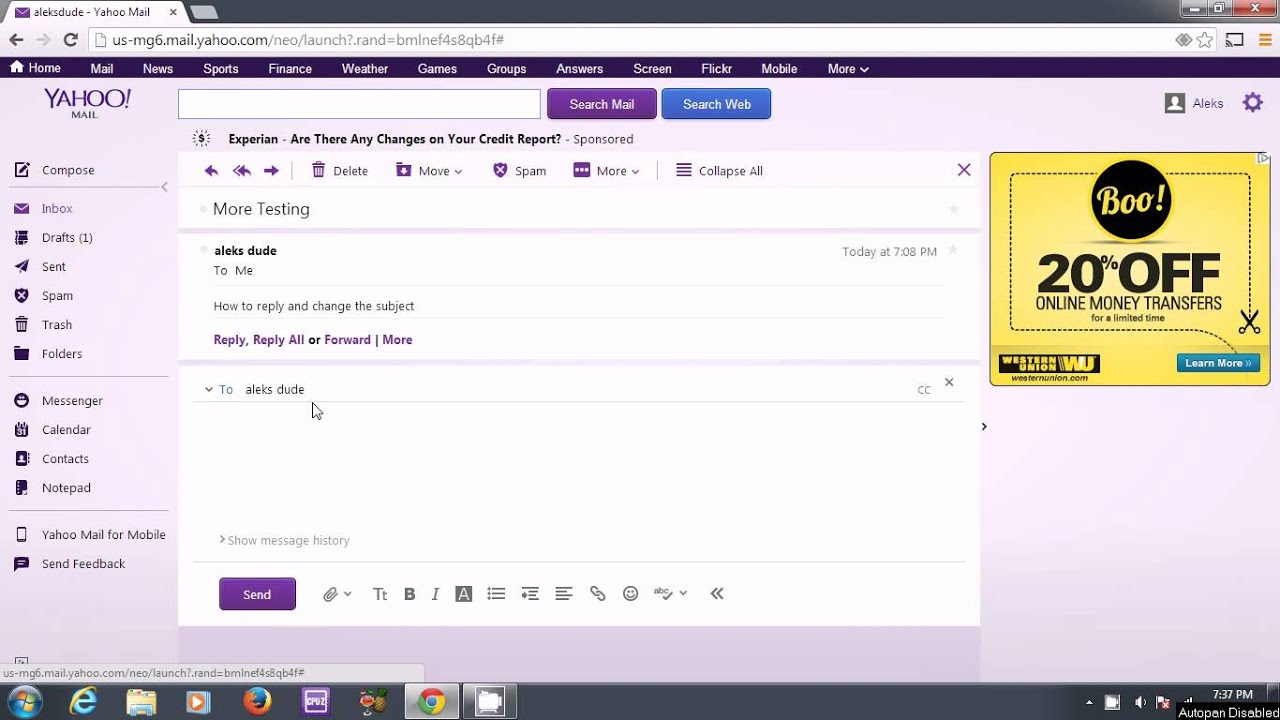
Anyways, to change the subject header or title of your e-mail when replying to an e-mail... you just need to click on the little arrow next to the "To" word.
An option will appear the drop down allowing you to select "Edit Subject".

You will also have the option of editing participants if you wish (ie adding more people to the e-mail thread by selecting "Edit Participants")

That's it... very easy.
This is dedicated to my dad who recently asked me.. "This new e-mail is so hard to use.. I can't even find out how to change the subject." I hope he enjoys this video.

Комментарии

Информация по комментариям в разработке

Похожие видео

  • О нас
  • Контакты
  • Отказ от ответственности - Disclaimer
  • Условия использования сайта - TOS
  • Политика конфиденциальности

video2dn Copyright © 2023 - 2025

Контакты для правообладателей [email protected]