Logo video2dn
  • Сохранить видео с ютуба
  • Категории
    • Музыка
    • Кино и Анимация
    • Автомобили
    • Животные
    • Спорт
    • Путешествия
    • Игры
    • Люди и Блоги
    • Юмор
    • Развлечения
    • Новости и Политика
    • Howto и Стиль
    • Diy своими руками
    • Образование
    • Наука и Технологии
    • Некоммерческие Организации
  • О сайте

Скачать или смотреть Mastering Tool Path Animation & IPW Settings

  • Sapience TechSystems
  • 2025-08-26
  • 448
Mastering Tool Path Animation & IPW Settings
  • ok logo

Скачать Mastering Tool Path Animation & IPW Settings бесплатно в качестве 4к (2к / 1080p)

У нас вы можете скачать бесплатно Mastering Tool Path Animation & IPW Settings или посмотреть видео с ютуба в максимальном доступном качестве.

Для скачивания выберите вариант из формы ниже:

  • Информация по загрузке:

Cкачать музыку Mastering Tool Path Animation & IPW Settings бесплатно в формате MP3:

Если иконки загрузки не отобразились, ПОЖАЛУЙСТА, НАЖМИТЕ ЗДЕСЬ или обновите страницу
Если у вас возникли трудности с загрузкой, пожалуйста, свяжитесь с нами по контактам, указанным в нижней части страницы.
Спасибо за использование сервиса video2dn.com

Описание к видео Mastering Tool Path Animation & IPW Settings

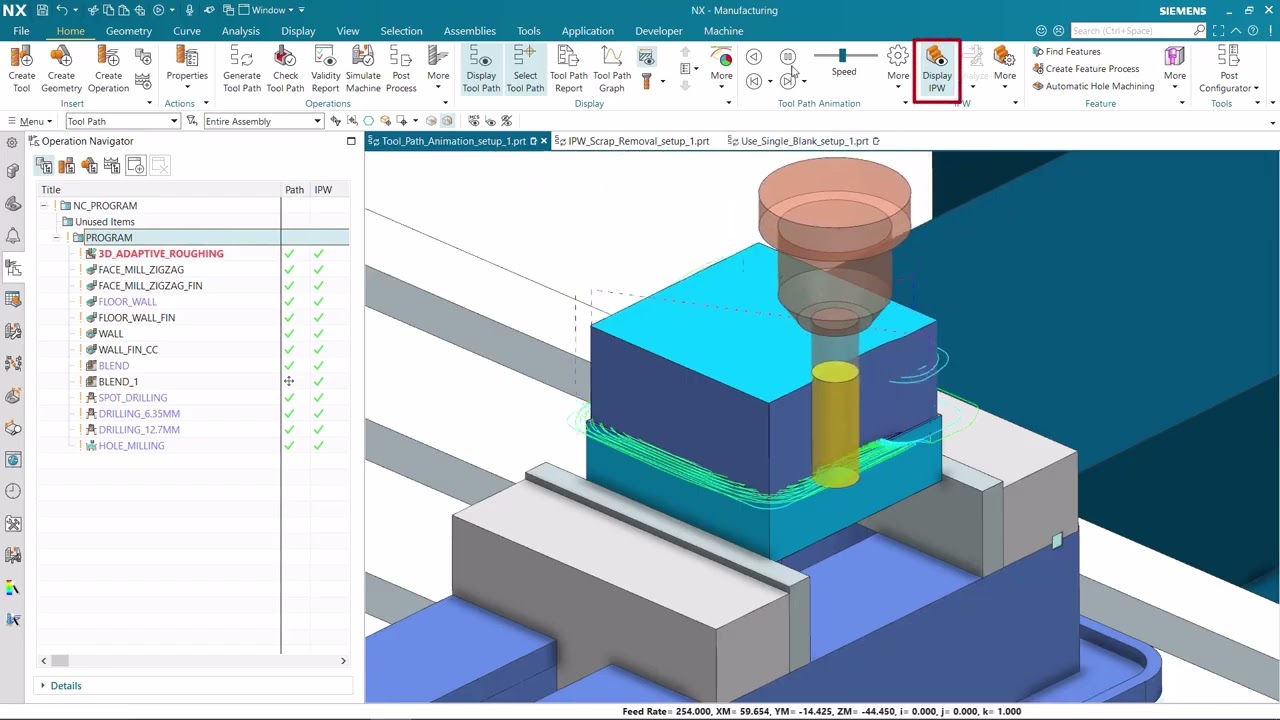
This tutorial guides users through mastering Tool Path Animation and In-Process Workpiece (IPW) settings in Siemens NX CAM.

It explains how to visually analyze tool motion, monitor stock removal, and detect potential issues before machining.

Viewers will learn how to configure and control animation playback, adjust IPW settings for different simulation needs, and apply verification tools to ensure machining accuracy.

Ideal for CAM programmers seeking to improve process visualization and reduce errors in CNC execution.

Main Topics Covered:

*Introduction to Tool Path Animation & IPW:

Purpose and benefits of visualizing tool motion

Role of IPW in verifying stock removal and process integrity

*Configuring Tool Path Animation:

Accessing animation tools in NX CAM

Playback controls, speed adjustment, and step-through simulation

*Understanding IPW Settings:

Setting initial stock conditions

Choosing IPW display modes (solid, shaded, transparent, wireframe)

Managing accuracy and resolution for performance

*Simulation Analysis:

Identifying toolpath inefficiencies and collisions

Comparing programmed tool motion to expected results

*Advanced IPW Control:

Using intermediate IPW states for process checks

Exporting IPW models for downstream validation

*Best Practices:

Combining animation with verification tools for reliable output

Optimizing IPW settings for different part geometries and operations

Комментарии

Информация по комментариям в разработке

Похожие видео

  • О нас
  • Контакты
  • Отказ от ответственности - Disclaimer
  • Условия использования сайта - TOS
  • Политика конфиденциальности

video2dn Copyright © 2023 - 2025

Контакты для правообладателей [email protected]