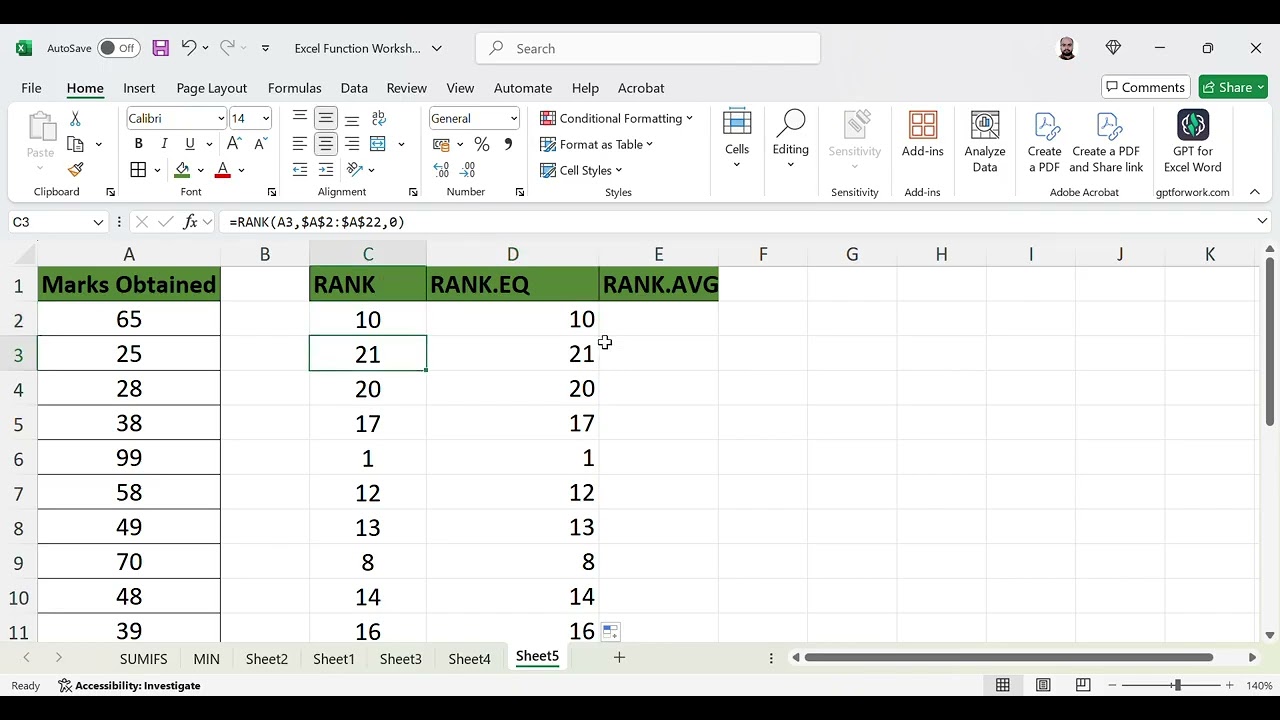
The RANK function in Excel is used to determine the rank of a specific number within a list of numbers. There are two variations of the RANK function in Excel: RANK.AVG and RANK.EQ.
RANK.AVG: This function assigns an average rank to duplicate values in the list. If there are multiple instances of the same value in the list, RANK.AVG will assign the average rank to all the duplicates.
RANK.EQ: This function assigns the same rank to duplicate values in the list but leaves a gap in the ranking sequence. For example, if two values are tied for the second rank, the next value will be assigned a rank of 4 (instead of 3).
Here is the basic syntax for the RANK function in Excel: =RANK(number, ref, [order])
number: The number for which you want to find the rank.
ref: The list of numbers in which you want to find the rank of the specified number.
order: This is an optional argument that specifies whether to rank the numbers in ascending or descending order. If omitted, Excel assumes the order to be descending.
Please note that the RANK function may return different results depending on whether you use RANK.AVG or RANK.EQ, so it's important to choose the appropriate function based on your requirements.
The RANK.EQ function in Excel is used to determine the rank of a specified value in a list of values. It returns the rank of a number in a list of numbers, without any gaps in the ranking. If there are duplicate values in the list, it assigns the same rank to all the duplicate values and the next rank after them is skipped.
Here is the syntax for the RANK.EQ function in Excel: RANK.EQ(number, ref, [order])
number: This is the number for which you want to find the rank.
ref: This is the list of numbers that you want to rank the number against.
order: This is an optional argument that specifies how to rank the number. If order is 0 or omitted, Excel ranks the number in descending order. If order is any non-zero value, Excel ranks the number in ascending order.
For example, if you have a list of numbers in cells A1:A5 (10, 20, 15, 25, 20) and you want to find the rank of the number 20 in that list, you can use the following formula: =RANK.EQ(20, A1:A5, 0)
This will return 2 as the output because 20 is the second highest number in the list.
The RANK.AVG function in Excel is used to determine the rank of a specific value in a list of values. It returns the rank of a specified value in a dataset, where if there are duplicate values, it assigns an average rank to each value.
The syntax for the RANK.AVG function is: RANK.AVG(number, ref, [order])
number: The number for which you want to find the rank.
ref: The list of numbers in which you want to find the rank of the specified number.
order (optional): Specifies how to rank the number in the list. It can be 0 (descending) or any non-zero value (ascending). If omitted, the default is ascending order.
For example, if you have a list of numbers in cells A1:A5 (10, 20, 10, 30, 40) and you want to find the rank of the number 10, you can use the formula: =RANK.AVG(10, A1:A5, 0) This will return 2 because 10 is the second smallest number in the list.
If you have duplicate values in the list, the RANK.AVG function will assign them an average rank.
#How to use RANK AND RANK.EQ AND RANK.AVG Function in Excel in Hindi.
#How to use RANK AND RANK.EQ AND RANK.AVG Function in Excel in English.

Информация по комментариям в разработке