Logo video2dn
  • Сохранить видео с ютуба
  • Категории
    • Музыка
    • Кино и Анимация
    • Автомобили
    • Животные
    • Спорт
    • Путешествия
    • Игры
    • Люди и Блоги
    • Юмор
    • Развлечения
    • Новости и Политика
    • Howto и Стиль
    • Diy своими руками
    • Образование
    • Наука и Технологии
    • Некоммерческие Организации
  • О сайте

Скачать или смотреть How to Calculate Prayer Times using Mawaqit

  • MAWAQIT
  • 2025-01-21
  • 1363
How to Calculate Prayer Times using Mawaqit
mawaqitprayer times
  • ok logo

Скачать How to Calculate Prayer Times using Mawaqit бесплатно в качестве 4к (2к / 1080p)

У нас вы можете скачать бесплатно How to Calculate Prayer Times using Mawaqit или посмотреть видео с ютуба в максимальном доступном качестве.

Для скачивания выберите вариант из формы ниже:

  • Информация по загрузке:

Cкачать музыку How to Calculate Prayer Times using Mawaqit бесплатно в формате MP3:

Если иконки загрузки не отобразились, ПОЖАЛУЙСТА, НАЖМИТЕ ЗДЕСЬ или обновите страницу
Если у вас возникли трудности с загрузкой, пожалуйста, свяжитесь с нами по контактам, указанным в нижней части страницы.
Спасибо за использование сервиса video2dn.com

Описание к видео How to Calculate Prayer Times using Mawaqit

To watch the video in French:    • Comment configurer les horaires de prière...  
To watch the video in Arabic:    • كيفية حساب أوقات الصلاة في مواقيت  
Assalamu alaykum wa rahmatullahi wa barakatuh!

Today, we’re back with a new Mawaqit tutorial. In this video, we’ll walk you through how to calculate prayer times. Let’s get started!

First, log in to access the "My Mawaqits" tab. Once you’re in, click on the purple "action" button, and then select "Configure." Next, click on "Calculation of prayer time"

As you can see, there are several calculation methods available. Let’s start with the calendar method. Below, you’ll find the months from January to December. You can select the months you’re interested in.

There are two ways to fill in the prayer times:

Manual Entry: Fill in each day of the month one by one.

CSV File: Create a CSV file using the template provided in the blue box on the right. Then, click "Pre-fill from CSV File" to upload your file, and the system will automatically fill in all the fields.

Important Note: All prayer times must be entered in winter time for the entire year. The software will automatically adjust for daylight saving time (summer time), inshaAllah.

You also have the automatic calculation method, where you can configure various parameters, such as:

The calculation method.

The Asr calculation method.

Manual adjustments for the five daily prayers.

For example, if you want to fix Isha time at 7:00 PM during winter, simply enter 7:00 PM and save.

Additionally, you can copy the configuration from another mosque. For instance, if you select the Grand Mosque of Paris, you can copy its prayer times, save them, and apply them to your mosque.

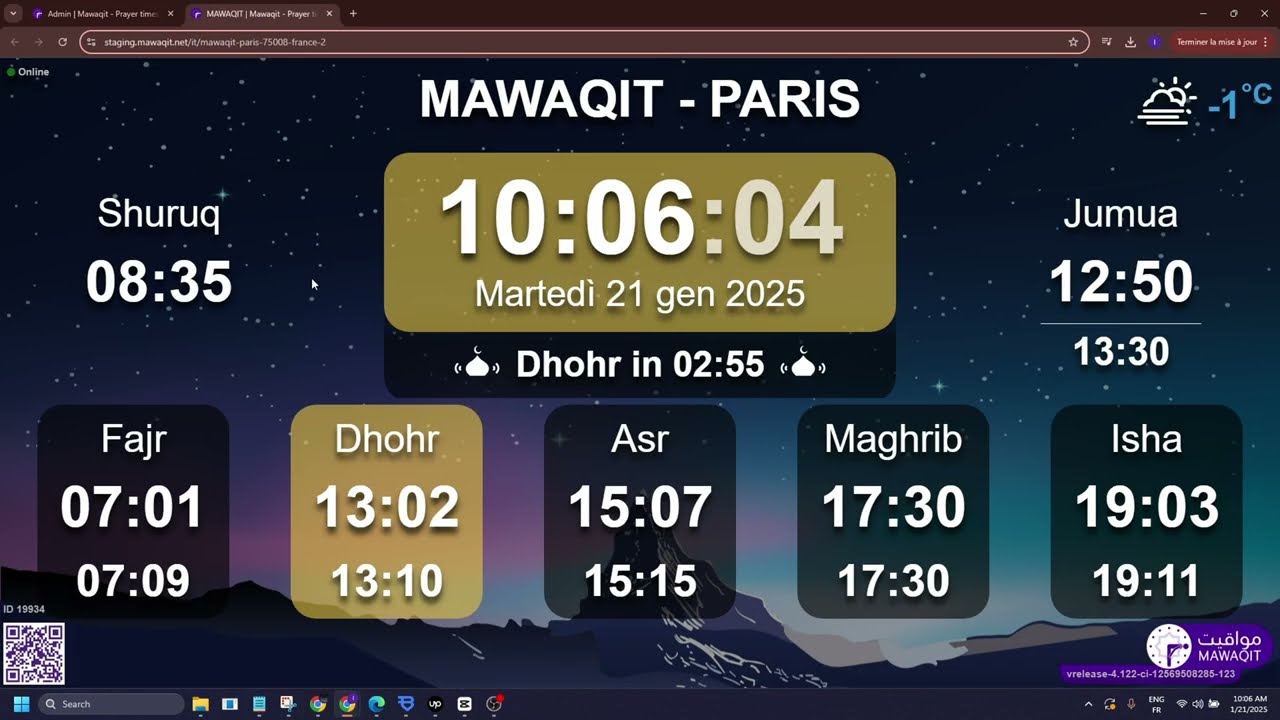
Finally, to review the changes you’ve made, click on "More Details," select a language, and click the generated link. This will show you the updated prayer times as they would appear on the screen or in the mobile app.

Thank you for following this tutorial! We look forward to seeing you again soon at Mawaqit, inshaAllah.

Wa salam alaykum !

Комментарии

Информация по комментариям в разработке

Похожие видео

  • О нас
  • Контакты
  • Отказ от ответственности - Disclaimer
  • Условия использования сайта - TOS
  • Политика конфиденциальности

video2dn Copyright © 2023 - 2025

Контакты для правообладателей [email protected]