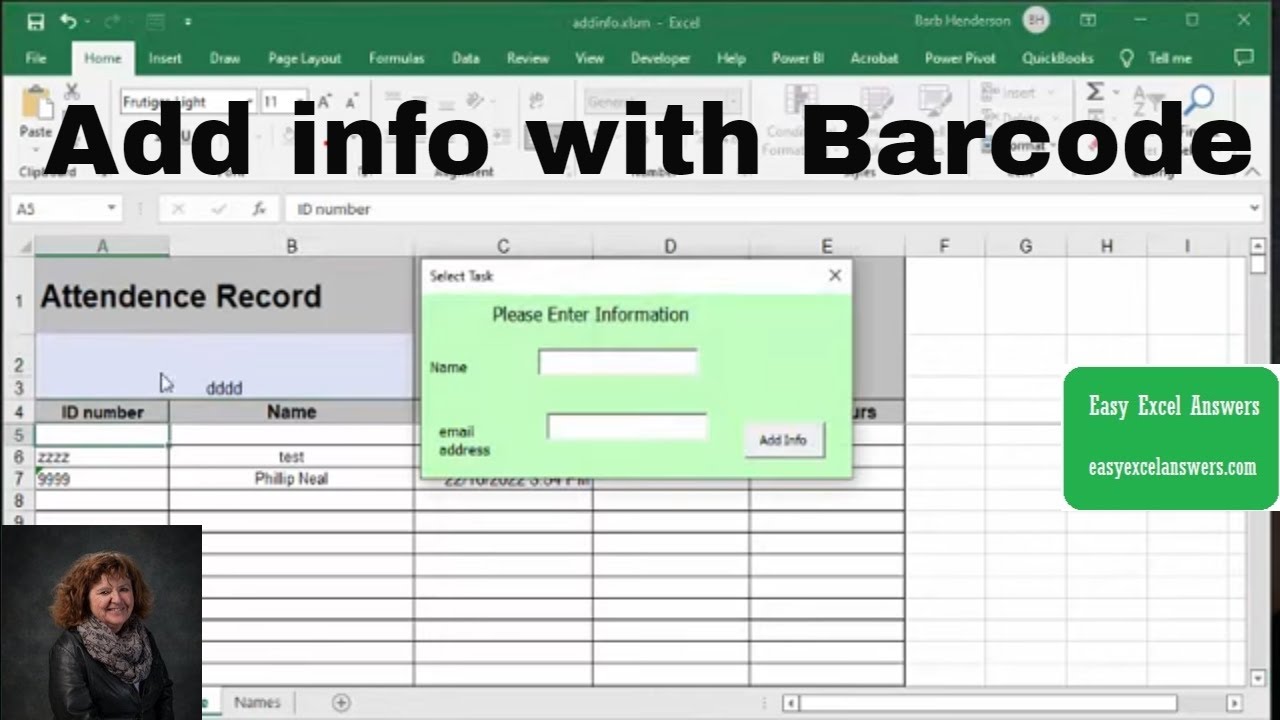
Allow information to be added when barcode is scanned in Excel. Give users the opportunity to enter information. Templates with code are available for purchase for $50 USD https://www.easyexcelanswers.com/temp...
For more help visit my website www.easyexcelanswers.com or email me at [email protected].
Contact me regarding customizing this template for your needs.
Click for online Excel Consulting http://www.calendly.com/easyexcelanswers
I am able to provide online help on your computer at a reasonable rate.
https://www.amazon.com/shop/barbhende...
I use a Blue condenser Microphone to record my videos, here is the link
https://amzn.to/37gyyGa
Check out Crowdcast for creating your webinars
https://app.linkmink.com/a/crowdcast/83
If you need to buy Office 2019 follow
https://amzn.to/2VX5dv8
I use Tube Buddy to help promote my videos
Check them out
https://www.Tubebuddy.com/easyexcelan...
Follow me on Facebook
/ easyexcel.answers
TWEET THIS VIDEO • Allow information to be added when barcode...
Follow me on twitter
easyexcelanswers
IG @barbhendersonconsulting
You can help and generate a translation to you own language
http://www.youtube.com/timedtext_cs_p...
*this description may contain affiliate links. When you click them, I may receive a small commission at no extra cost to you. I only recommend products and services that I've used or have experience with.
templates including code are available for $50 USD
code
Sub access()
Dim barcode As String
Dim rng, rng1 As Range
Dim rownumber As Long
Dim cell
Dim name As String
Dim Total As Double
Dim Timein As Date
Dim Timeout As Date
barcode = ActiveSheet.Cells(2, 1)
If barcode (does not equal) "" Then
Set rng = ActiveSheet.Columns("a:a").Find(What:=barcode, _
LookIn:=xlFormulas, LookAt:=xlWhole, SearchOrder:=xlByRows, _
SearchDirection:=xlNext, MatchCase:=False, SearchFormat:=False)
If rng Is Nothing Then
restart:
ActiveSheet.Columns("a:a").Find("").Select
Set rng1 = Sheet2.Columns("a:a").Find(What:=barcode, _
LookIn:=xlFormulas, LookAt:=xlWhole, SearchOrder:=xlByRows, _
SearchDirection:=xlNext, MatchCase:=False, SearchFormat:=False)
If rng1 Is Nothing Then
With UserForm1
.Width = 300
.Height = 150
.Show
End With
Exit Sub
Else
ActiveSheet.Range("a5:a1005").Find("").Select
ActiveCell.Value = barcode
name = rng1.Offset(0, 1).Value
ActiveCell.Offset(0, 1).Value = name
ActiveCell.Offset(0, 2).Select
ActiveCell.Value = Date & " " & Time
ActiveCell.NumberFormat = "d/m/yyyy h:mm AM/PM"
ActiveSheet.Cells(2, 1) = ""
End If
GoTo ende
Else
'rng.Select
rownumber = rng.Row
If Cells(rownumber, 4) (does not equal) "" Then GoTo restart
ActiveSheet.Cells(rownumber, 1).Select
barcode = ActiveCell.Value
ActiveCell.Offset(0, 3).Select
ActiveCell.Value = Date & " " & Time
ActiveCell.NumberFormat = "m/d/yyyy h:mm AM/PM"
Timein = CDate(Cells(rownumber, 3).Value)
Timeout = CDate(Cells(rownumber, 4).Value)
Total = TimeValue(Timeout) - TimeValue(Timein)
Debug.Print Total
Debug.Print Format(Total, "hh:mm:ss")
Cells(rownumber, 5).NumberFormat = "hh:mm:ss"
Cells(rownumber, 5).Value = Total
Debug.Print "Number of hours = " & Total * 24
'call emailconf
ActiveSheet.Cells(2, 2) = ""
End If
ActiveSheet.Cells(2, 1) = ""
'
End If
ende:
ActiveSheet.Cells(2, 1).Select
End Sub
Code for userform
Private Sub CommandButton1_Click()
Dim barcode As String
Dim Aname, Email As String
barcode = Sheet1.Range("A2").Value
Aname = TextBox1.Value
Email = TextBox3.Value
'enter information on first sheet
Sheet1.Activate
ActiveSheet.Range("a5:a1005").Find("").Select
ActiveCell.Value = barcode
ActiveCell.Offset(0, 1).Value = Aname
ActiveCell.Offset(0, 2).Select
ActiveCell.Value = Date & " " & Time
ActiveCell.NumberFormat = "m/d/yyyy h:mm:ss AM/PM"
'record information on second sheet
Sheet2.Activate
ActiveSheet.Range("a2:a1005").Find("").Select
ActiveCell.Value = barcode
ActiveCell.Offset(0, 1).Value = Aname
ActiveCell.Offset(0, 2).Value = Email
Sheet1.Activate
ActiveSheet.Cells(2, 1) = ""
ActiveSheet.Cells(2, 1).Select
End Sub

Информация по комментариям в разработке