Logo video2dn
  • Сохранить видео с ютуба
  • Категории
    • Музыка
    • Кино и Анимация
    • Автомобили
    • Животные
    • Спорт
    • Путешествия
    • Игры
    • Люди и Блоги
    • Юмор
    • Развлечения
    • Новости и Политика
    • Howto и Стиль
    • Diy своими руками
    • Образование
    • Наука и Технологии
    • Некоммерческие Организации
  • О сайте

Скачать или смотреть 👨‍🏫dForce Tutorial: How to make cloth animation in Daz Studio

  • QT168
  • 2018-04-06
  • 7306
👨‍🏫dForce Tutorial: How to make cloth animation in Daz Studio
daz3ddaz studiodForceclothes animationcharacter animationmocapmotion capturefacial animationtutorial
  • ok logo

Скачать 👨‍🏫dForce Tutorial: How to make cloth animation in Daz Studio бесплатно в качестве 4к (2к / 1080p)

У нас вы можете скачать бесплатно 👨‍🏫dForce Tutorial: How to make cloth animation in Daz Studio или посмотреть видео с ютуба в максимальном доступном качестве.

Для скачивания выберите вариант из формы ниже:

  • Информация по загрузке:

Cкачать музыку 👨‍🏫dForce Tutorial: How to make cloth animation in Daz Studio бесплатно в формате MP3:

Если иконки загрузки не отобразились, ПОЖАЛУЙСТА, НАЖМИТЕ ЗДЕСЬ или обновите страницу
Если у вас возникли трудности с загрузкой, пожалуйста, свяжитесь с нами по контактам, указанным в нижней части страницы.
Спасибо за использование сервиса video2dn.com

Описание к видео 👨‍🏫dForce Tutorial: How to make cloth animation in Daz Studio

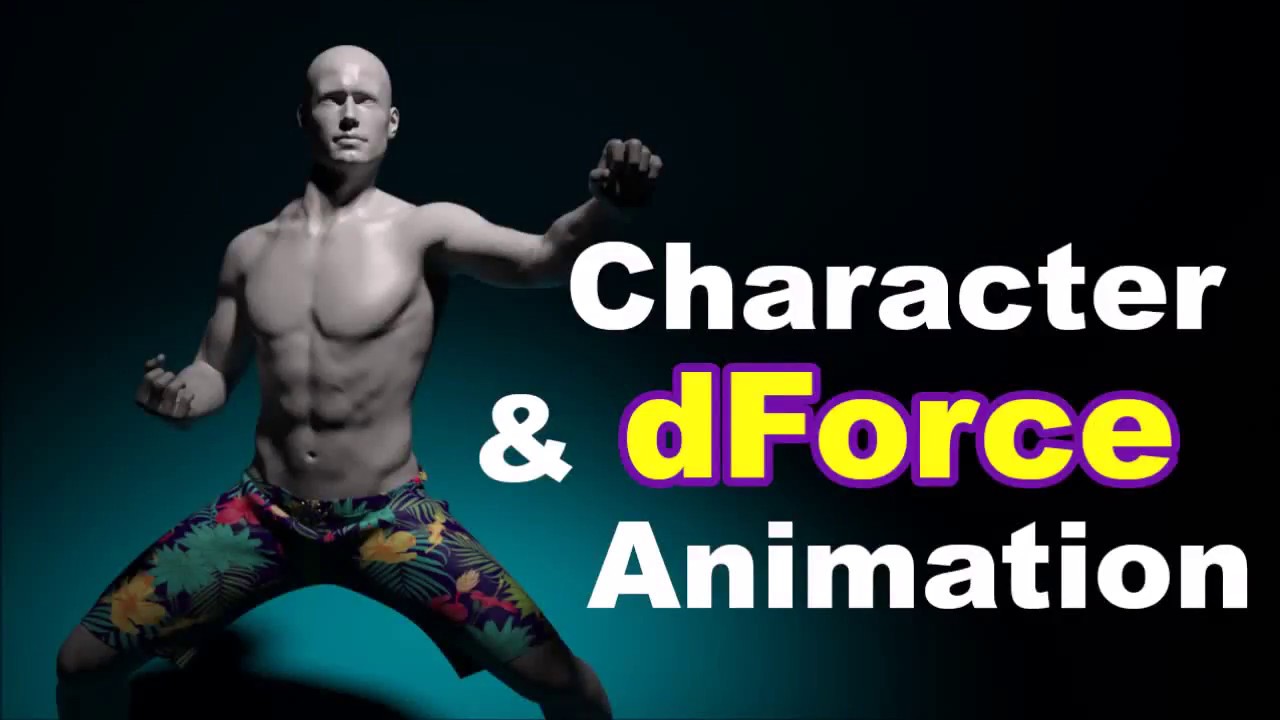
This tutorial is for beginners. We demonstrate how to making cloth animation quickly in Daz Studio.

(Daz studio is free 3d rendering software and can be downloaded at https://www.daz3d.com)

To avoid poke-through, bake Aniblocks into keyframes so that dForce can calibrate correctly.

To achieve the best effect, you can also convert low-polygon clothes to sub-D mesh (edit - figure - geometry), add smoothing modifier (enable smoothing, increase the values of smoothing iteration and collision iteration), and may or may not turn off self-collision in the Surface tab.

If the clothes have multiple layers (N layers for example), in the Surface tab assign each layer a unique "Collision Layer" ID from 1 (innermost) to N (outer most).

If a jacket interacts with underlying clothes, in the Parameter menu change the jacket's "Collision Item" from your character to the most adjacent cloth underneath.

To create wind effect, add "dForce Wind Node" from the Create menu and adjust its settings (strengths, direction, range) to your liking.

** dForce stimulation settings (to SPEED UP calculation): Turn off "Start Bones from Memorised Pose", Frame Per Second Multiplier = 1, Subframes = 6 to 8, Iterations Per Subframe = 12, Collision Mode = Good, Collision Iterations Per Subframe = 1.

Alternative methods such as drawing weight maps or assigning rigid nodes are available in other YouTubers' channels.
──────────────────────────
(1) Model: Michael 8 (Genesis 8 Male)
(2) Render: Iray in Daz Studio
(3) Facial animation used in this video: https://www.daz3d.com/real-facial-ani...
(4) Props, camera, and lights: https://www.daz3d.com/real-pinup-pose...
──────────────────────────
dForce online forum: https://www.daz3d.com/forums/discussi...

dForce manual: https://www.daz3d.com/forums/discussi...

How to make a lip sync animation in Daz Studio:    • 👩‍🏫DAZ Studio Tutorial: How to Make a Lip ...  

Daz studio is free 3d rendering software and can be downloaded at https://www.daz3d.com

How to make dynamic hair animation using dForce? See tutorials at    • [DAZ Studio Tutorial👩‍🏫] dForce Dynamic Hair  

Thank you for viewing from USA, Japan, UK, South Korea, Russia, Taiwan, Vietnam, Thailand, Germany, and from all over the world!

Have fun and happy rendering!

Комментарии

Информация по комментариям в разработке

Похожие видео

  • О нас
  • Контакты
  • Отказ от ответственности - Disclaimer
  • Условия использования сайта - TOS
  • Политика конфиденциальности

video2dn Copyright © 2023 - 2025

Контакты для правообладателей [email protected]