Logo video2dn
  • Сохранить видео с ютуба
  • Категории
    • Музыка
    • Кино и Анимация
    • Автомобили
    • Животные
    • Спорт
    • Путешествия
    • Игры
    • Люди и Блоги
    • Юмор
    • Развлечения
    • Новости и Политика
    • Howto и Стиль
    • Diy своими руками
    • Образование
    • Наука и Технологии
    • Некоммерческие Организации
  • О сайте

Скачать или смотреть AMD Radeon HD 7970M and NVIDIA GeForce GTX 680M upgrade in Alienware M15x

  • EurocomTechnology
  • 2012-11-07
  • 128866
AMD Radeon HD 7970M and NVIDIA GeForce GTX 680M upgrade in Alienware M15x
NvidiaLaptopAlienware (Business Operation)Radeon (Computing Platform)ComputerAmdNotebookAtieurocomVideo Game79706805870680m7970mm15xm18xm17xm14x
  • ok logo

Скачать AMD Radeon HD 7970M and NVIDIA GeForce GTX 680M upgrade in Alienware M15x бесплатно в качестве 4к (2к / 1080p)

У нас вы можете скачать бесплатно AMD Radeon HD 7970M and NVIDIA GeForce GTX 680M upgrade in Alienware M15x или посмотреть видео с ютуба в максимальном доступном качестве.

Для скачивания выберите вариант из формы ниже:

  • Информация по загрузке:

Cкачать музыку AMD Radeon HD 7970M and NVIDIA GeForce GTX 680M upgrade in Alienware M15x бесплатно в формате MP3:

Если иконки загрузки не отобразились, ПОЖАЛУЙСТА, НАЖМИТЕ ЗДЕСЬ или обновите страницу
Если у вас возникли трудности с загрузкой, пожалуйста, свяжитесь с нами по контактам, указанным в нижней части страницы.
Спасибо за использование сервиса video2dn.com

Описание к видео AMD Radeon HD 7970M and NVIDIA GeForce GTX 680M upgrade in Alienware M15x

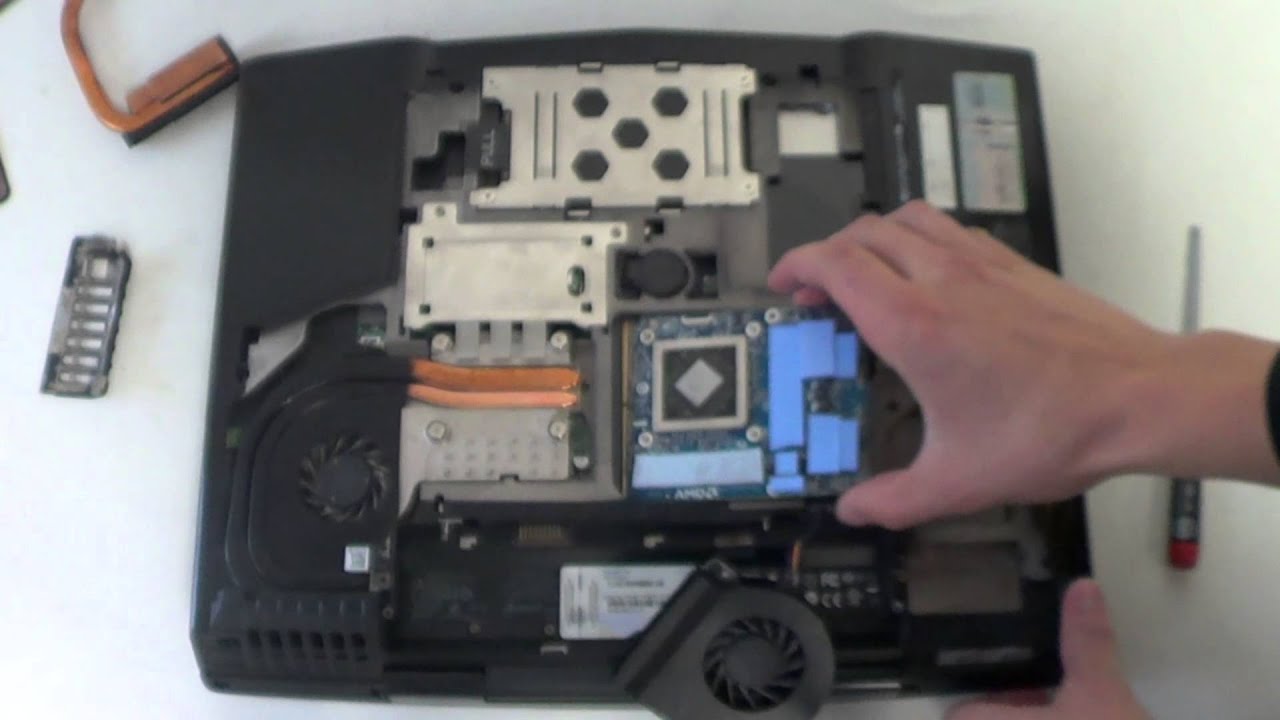
A quick and easy graphics upgrade guide of an Alienware M15x notebook with an AMD Radeon HD 7970M and an NVIDIA GeForce GTX 680M.

Alienware M15x Graphics Upgrade Kits: http://www.eurocom.com/ec/upgrade(1,2...

Alienware M15x Benchmarks: http://web.eurocom.com/ec/ec_GetBench...)

Thermal Paste Application Guide: http://www.innovationcooling.com/appl...

Alienware Upgrade Configurator: http://www.eurocom.com/ec/alienware()ec

To inquire with one of our upgrade experts please email [email protected]

Facebook:   / eurocomtechn.  .

Twitter:   / eurocomtech  

*Upgrade Checklist*
-Ensure ESD Protection
-Download new video drivers, do not install
-Uninstall existing drivers
-Download and install latest BIOS
-Turn off system and remove power chord
-Remove battery
-Remove Thermal Solution
-Apply thermal pads to heatsink and card
-Verify proper thermal pad layout
between new card and heatsink before install
-Install card
-Apply Thermal Paste
-Install heatsink
-Re-assemble notebook
-Install battery and plug in
-Turn on system and install drivers
-Re-assemble notebook
-Install battery and plug in
-Turn on system
-Check BIOS for video card recognition
-Check Device Manager for video card recognition
-If in Windows 8, disable Digital Signature before
installing drivers, then install drivers
-If in Windows 7 install drivers
-Run Unigine Heaven 4 and monitor temperatures
to verify proper heatsink installation. Other benchmarks would
also suffice.
-Enjoy!

Комментарии

Информация по комментариям в разработке

Похожие видео

  • О нас
  • Контакты
  • Отказ от ответственности - Disclaimer
  • Условия использования сайта - TOS
  • Политика конфиденциальности

video2dn Copyright © 2023 - 2025

Контакты для правообладателей [email protected]