Logo video2dn
  • Сохранить видео с ютуба
  • Категории
    • Музыка
    • Кино и Анимация
    • Автомобили
    • Животные
    • Спорт
    • Путешествия
    • Игры
    • Люди и Блоги
    • Юмор
    • Развлечения
    • Новости и Политика
    • Howto и Стиль
    • Diy своими руками
    • Образование
    • Наука и Технологии
    • Некоммерческие Организации
  • О сайте

Скачать или смотреть How to build and run PhoenixGo with bazel !

  • Meta Simpl
  • 2020-03-19
  • 105
How to build and run PhoenixGo with bazel !
tencentphoenixgogoweiqibadukbazeltensorflow
  • ok logo

Скачать How to build and run PhoenixGo with bazel ! бесплатно в качестве 4к (2к / 1080p)

У нас вы можете скачать бесплатно How to build and run PhoenixGo with bazel ! или посмотреть видео с ютуба в максимальном доступном качестве.

Для скачивания выберите вариант из формы ниже:

  • Информация по загрузке:

Cкачать музыку How to build and run PhoenixGo with bazel ! бесплатно в формате MP3:

Если иконки загрузки не отобразились, ПОЖАЛУЙСТА, НАЖМИТЕ ЗДЕСЬ или обновите страницу
Если у вас возникли трудности с загрузкой, пожалуйста, свяжитесь с нами по контактам, указанным в нижней части страницы.
Спасибо за использование сервиса video2dn.com

Описание к видео How to build and run PhoenixGo with bazel !

Hi !

PhoenixGo is an open-source zero go AI by Tencent, that aims to replicate the AlphaGo Zero results of Deepmind.

You can freely download and use PhoenixGo from Tencent's official repo: https://github.com/Tencent/PhoenixGo

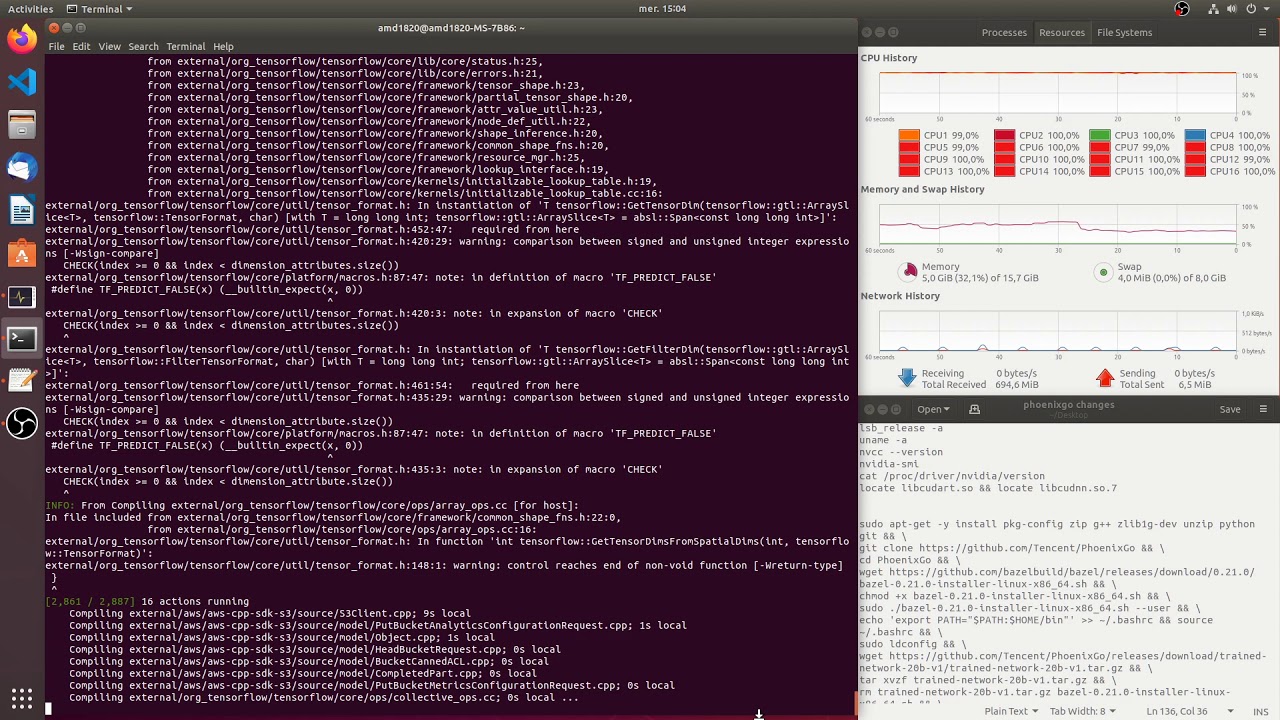
Since PhoenixGo is not so easy to configure, i provided an illustrated example of how to compile it and configure it with bazel, 16GB+ of RAM recommended !

Environment:
ubuntu 18.04
CUDA 10.0
cuDNN 7 latest version for CUDA 10.0 (here 7.6.5)
no TensorRT
bazel 0.21.0 (0.22 and higher are not (yet) supported by PhoenixGo)

Specs:
AMD Ryzen R7 1700
2x8 GB RAM @2667
GTX 1060 6GB
500 GB SSD

Steps:
1) on a fresh ubuntu 18.04, first install nvidia-driver-410 from the ppa https://launchpad.net/~graphics-drive... (keep pursuing next steps even if you have nvidia-smi errors)

2) install CUDA 10.0 from nvidia's website https://developer.nvidia.com/cuda-10....
then do the post-install


2.5) install latest nvidia display driver from nvidia's ppa (currently nvidia-driver-440 at the time of this tutorial)


 3) install cuDNN as shown here (but get the right and latest versions for cuda 10.0) :
https://github.com/wonderingabout/nvi...

4) run the all-in-one bazel compile command:
https://github.com/Tencent/PhoenixGo/...
note that this also downloads the model

5) after the compile is finished, do the configuration of phoenixGo (config file, paths to the engine)

recorded with OBS STUDIO
edited with MKVToolNix

Enjoy !
follow me on github if you're curious :)
https://github.com/wonderingabout/

Комментарии

Информация по комментариям в разработке

Похожие видео

  • О нас
  • Контакты
  • Отказ от ответственности - Disclaimer
  • Условия использования сайта - TOS
  • Политика конфиденциальности

video2dn Copyright © 2023 - 2025

Контакты для правообладателей [email protected]