🛒 Buy the NearStream VM20 4K Streaming Camera:
🔗 Official Product Page: https://www.nearstream.us/4k-wired-st...
Affiliate Link: https://www.nearstream.us/?sca_ref=90...
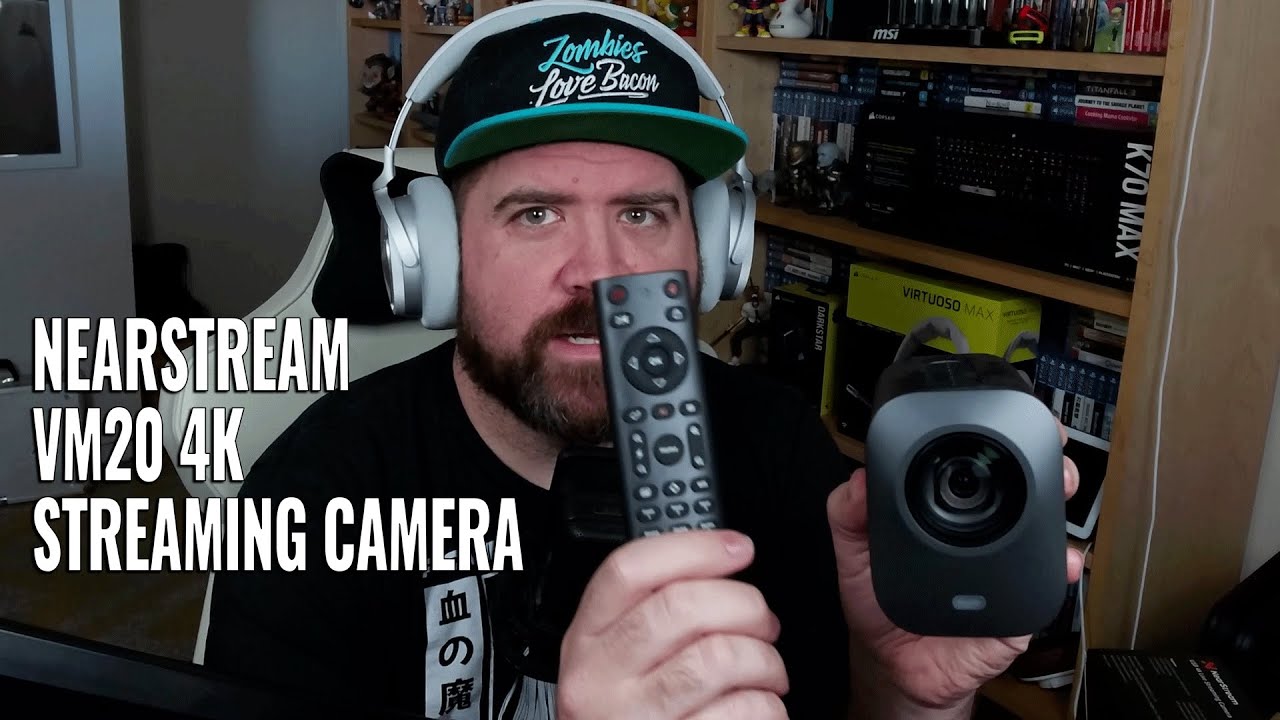
NearStream VM20 4K Streaming Camera Review & Demo 🎥 | Zoom, Audio, Twitch + YouTube Test Setup
Welcome back! In today’s video, I’m testing out the NearStream VM20 — a 4K wired streaming camera designed for content creators, livestreamers, and remote professionals.
Big thanks to NearStream for sending this unit over and giving me a chance to try it out. Whether you’re streaming on Twitch, making videos for YouTube, or just looking to upgrade your webcam setup for Zoom, OBS, Discord, or even Teams, this camera is worth a closer look.
📦 What’s in the Box:
NearStream VM20 Camera (4K Resolution)
Remote control for pan/tilt/zoom and presets
USB-C cable
Mounting accessories
Quick start guide
🔍 Key Specs & Features:
✅ 4K Ultra HD Video Output
Captures crisp 4K video via a 5MP 1/2.8" CMOS sensor
Great for livestreams, podcasts, studio recordings, or virtual meetings
Works well in OBS, Streamlabs, Zoom, Microsoft Teams, Google Meet, etc.
✅ 40X Hybrid Zoom
10X optical zoom for clean, sharp close-ups
4X digital zoom for flexibility without degrading video too fast
Controlled via included remote (pan, tilt, zoom)
✅ Remote Camera Control
Remote lets you save & switch between 3 preset camera angles
Handy for multi-angle livestreams, reaction setups, and talk shows
✅ Multi-Camera Support
Connect and control multiple VM20 units at once
Useful for podcasting, tutorials, interviews, and switching live views
✅ Advanced Audio Input
Built-in 8-MEMS microphone array
AI noise cancellation reduces background noise in real time
Picks up clean voice audio from up to 16 feet away
✅ Multiple Connection Options
USB-C for plug-and-play with laptops and PCs
HDMI for capture card or direct monitor connection
RJ45 Ethernet for IP streaming, PoE power, or more stable wired setups
✅ Low-Light Performance
Sensor adjusts exposure automatically in dim lighting
Great for streamers who don’t use professional lighting setups
✅ No Software Needed
Plug-and-play setup
Works on Windows, macOS, and most streaming software without needing drivers
🧪 Testing Scenarios in This Video:
Face cam quality in OBS and Streamlabs
Zoom test with natural lighting vs low-light setup
Mic comparison with and without background noise
Remote control functions and camera presets in action
Zoom range demo (optical + digital)
🧠 Ideal For:
Twitch streamers & YouTube creators
Gaming, reaction, IRL & podcast stream setups
Online teachers, remote workers, and content marketers
Anyone looking for a reliable 4K webcam with more control
🙌 Thanks & Shoutouts
Massive thanks again to NearStream for the collaboration and continued support! Shoutout to Zia (who initially started this project) and Cheny (now leading the marketing team at NearStream) for being awesome to work with throughout the process.
🧩 Stay Connected with ZombiesLvBacon:
🌐 Website: https://zlbhq.com
🎮 Twitch: / zombieslvbacon
📺 YouTube: / zombieslvbacon
📷 Instagram: / zombieslvbacon
🐤 Twitter: / zombieslvbacon
🔖 Tags & Keywords (for SEO – optional to add manually):
#NearStream #StreamingCamera #4KCamera #ContentCreatorGear #TwitchStreamer #YouTubeSetup #TechReview #LivestreamGear #CameraReview #StreamingSetup #OBS #ZoomCamera #ProductReview #ZombiesLvBacon #VM20

Информация по комментариям в разработке