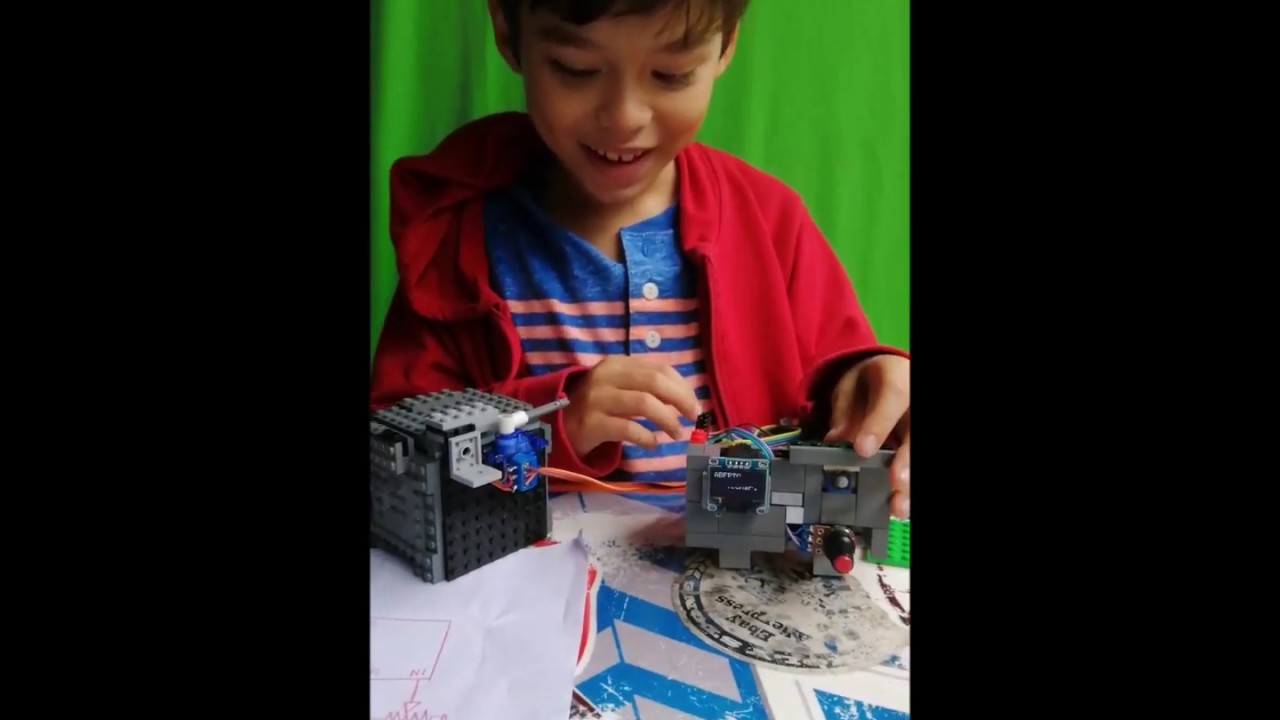
Cofre de Lego e Arduino.
Abaixo, o código para o Arduino:
(substitua os @ por hashes para rodar)
@include "Wire.h"
@include "Adafruit_SSD1306.h"
@include "Adafruit_GFX.h"
@include "Servo.h"
// OLED display TWI address
@define OLED_ADDR 0x3C
@define DIAL_PIN A6
@define BUTTON_PIN 6
@define SERVO_PIN 12
@define CHAR_W 12
@define CHAR_H 16
int cursor;
int senha;
char strSenha[4];
int segredo;
bool aberto;
Servo tranca;
Adafruit_SSD1306 display(-1);
@if (SSD1306_LCDHEIGHT != 64)
@error("Height err");
@endif
void inicia()
{
display.clearDisplay();
display.display();
printXY(0,2,"DIGITE A SENHA");
cursor=0;
senha=0;
printXY(0,0,"****");
}
void printXY(int x, int y, String txt)
{
display.setCursor(x*CHAR_W,y*CHAR_H);
display.print(txt);
display.display();
}
void printXYn(int x, int y, int n)
{
display.fillRect(x*CHAR_W,y*CHAR_H,CHAR_W,CHAR_H,BLACK);
display.setCursor(x*CHAR_W,y*CHAR_H);
display.print(n);
display.display();
}
void setup() {
// initialize and clear display (no tamanho 2, 16 de altura e 10 chars por linha, começando do zero)
display.begin(SSD1306_SWITCHCAPVCC, OLED_ADDR);
display.setTextSize(2);
display.setTextColor(WHITE);
display.clearDisplay();
display.display();
segredo=1357; // ** coloque sua senha aqui ***
aberto=false;
tranca.attach(SERVO_PIN);
tranca.write(0);
Serial.begin(9600);
inicia();
}
void loop()
{
int dial;
bool botao;
if (!aberto)
{
dial=trunc(9-analogRead(DIAL_PIN)/110);
botao=digitalRead(BUTTON_PIN);
printXYn(8,0,dial);
if (botao==LOW)
{
Serial.println(dial);
senha=senha*10+dial;
printXYn(cursor,0,dial);
cursor=cursor+1;
delay(500);
if (cursor==4)
{
if (senha==segredo)
{
display.clearDisplay();
printXY(0,0,"Abrindo...");
tranca.write(180);
delay(2000);
aberto=true;
}
else // senha diferente de segredo
{
display.clearDisplay();
printXY(0,0,"INCORRETO!");
printXY(0,2,"Tente novamente.");
delay(5000);
inicia();
}
} // cursor==4
} // botao==HIGH
}
else // fechado
{
display.clearDisplay();
printXY(0,0,"ABERTO");
printXY(0,1,"Pressione p/ fechar.");
do
{
botao=digitalRead(BUTTON_PIN);
} while (botao==HIGH);
display.clearDisplay();
printXY(0,0,"Fechando ...");
tranca.write(0);
delay(2000);
aberto=false;
inicia();
} // aberto
delay(10);
}

Информация по комментариям в разработке