Logo video2dn
  • Сохранить видео с ютуба
  • Категории
    • Музыка
    • Кино и Анимация
    • Автомобили
    • Животные
    • Спорт
    • Путешествия
    • Игры
    • Люди и Блоги
    • Юмор
    • Развлечения
    • Новости и Политика
    • Howto и Стиль
    • Diy своими руками
    • Образование
    • Наука и Технологии
    • Некоммерческие Организации
  • О сайте

Скачать или смотреть Silent Hill 2 Remake (2024) UE5 Game - Snapdragon 8 Elite (Android)

  • Mobilasion
  • 2025-12-29
  • 196
Silent Hill 2 Remake (2024) UE5 Game - Snapdragon 8 Elite (Android)
gamehubgameplaytestsettingsemulatorpc emulatorandroidioshow to instalhow to gameplayhow to setuphow to downloadgraphicssnapdragon 8 eliteredmagic astratabletSilent Hill 2 RemakeUE5unreal engine 5silent hill 2
  • ok logo

Скачать Silent Hill 2 Remake (2024) UE5 Game - Snapdragon 8 Elite (Android) бесплатно в качестве 4к (2к / 1080p)

У нас вы можете скачать бесплатно Silent Hill 2 Remake (2024) UE5 Game - Snapdragon 8 Elite (Android) или посмотреть видео с ютуба в максимальном доступном качестве.

Для скачивания выберите вариант из формы ниже:

  • Информация по загрузке:

Cкачать музыку Silent Hill 2 Remake (2024) UE5 Game - Snapdragon 8 Elite (Android) бесплатно в формате MP3:

Если иконки загрузки не отобразились, ПОЖАЛУЙСТА, НАЖМИТЕ ЗДЕСЬ или обновите страницу
Если у вас возникли трудности с загрузкой, пожалуйста, свяжитесь с нами по контактам, указанным в нижней части страницы.
Спасибо за использование сервиса video2dn.com

Описание к видео Silent Hill 2 Remake (2024) UE5 Game - Snapdragon 8 Elite (Android)

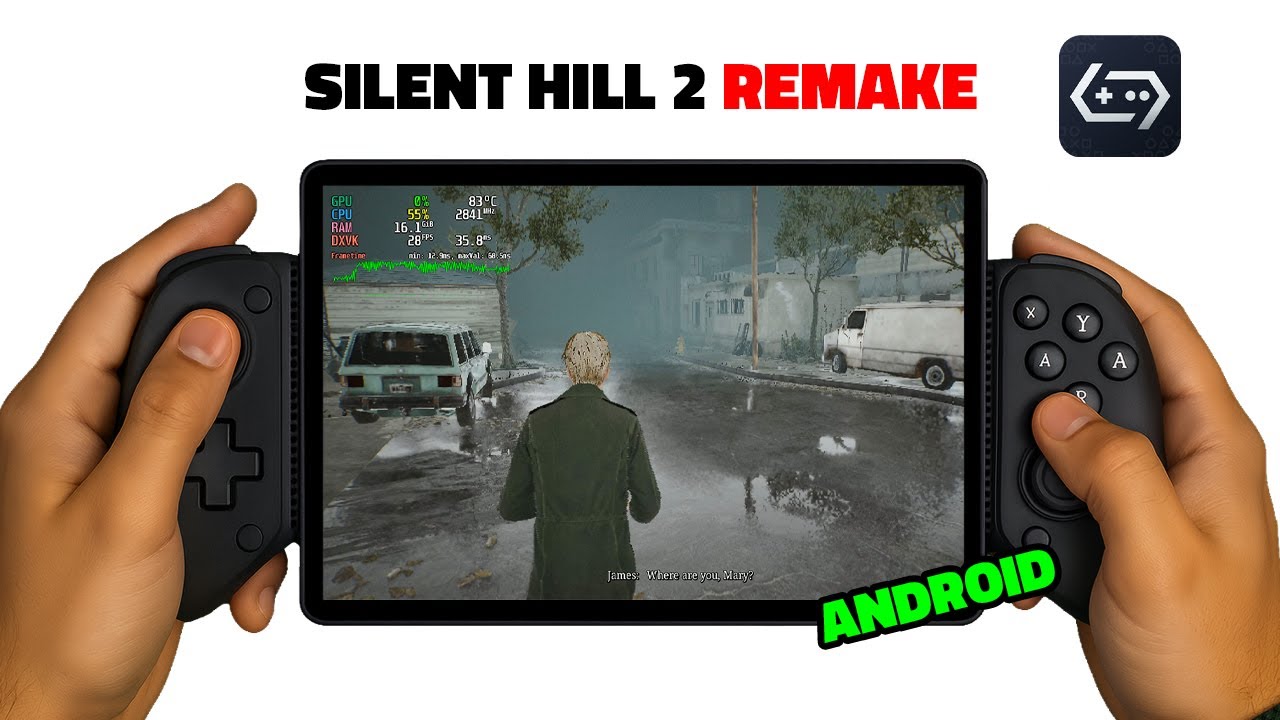
I tested Silent Hill 2 Remake, developed with the Unreal Engine in 2024, on my Android Redmagic Astra tablet powered by the Snapdragon 8 Elite. Since there is currently no open-source driver like Turnip Driver available for the Elite series, both performance and graphics are below the desired level. However, the game can still be considered playable, as it occasionally exceeds 30 FPS in certain scenes.

📱 Device: Redmagic Astra 1TB/24GB Ram - https://www.epey.com/tablet/zte-redma...

✅ Download Gamehub Emulator: https://gamehub.xiaoji.com/

⚙️ GameHub Settings:
➖General
🔸Game Resolution (1280x720)
🔹Enable MangoHUD: On
🔸Disable Window Manager: On
🔹Environment Variables
✦ DXVK_ASYNC=1
✦ DXVK_STATE_CACHE=1
✦ DXVK_LOG_LEVEL=none
✦ DXVK_NUM_COMPILER_THREADS=6
✦ mesa_glthread=true
✦ WINE_CPU_TOPOLOGY=8
✦ WINEESYNC=1
✦ WINEFSYNC=1
✦ MALLOC_TRIM_THRESHOLD_=262144
✦ __GL_SHADER_DISK_CACHE=1
✦ __GL_SHADER_DISK_CACHE_SKIP_CLEANUP=1
🔹Command Line: -nomansky -novsync -USEALLAVAILABLECORES -NoStartupMovies -dx11
🔹Disable Graphics Enhancement Plugin: On

➖Compatibility
🔸Compatibility Layer: proton10.0-arm64x-2
🔹Translation Params:
⇢ Extreme
✦ TSOEnabled (TSO Memory) : Off
✦ X87ReducedPrecision (X87 Reduce Prec) : On
✦Multiblock (Multiblock Compile): On
✦ MaxInst (Max Insturuction) : 10000
✦ SmallTSCScale (Small TSC Scale) : Off
✦ VectorTSOEnabled (Vector TS0) : Off
✦ MemcpySetTSOEnabled (Memcpy TSO) : Off
✦ HalfBarrierTSOEnabled (Half Barrier) : Off
✦ VolatileMetadata (Volatile MD) : Off
✦ HideHypervisorBit (Hide HV Bit) : Off
MonoHacks (Mono Opt): On
✦ SMCChecks (SMS Checks) : none: No checks
🔸GPU Driver: qcom-849.0
🔹DXVK Version: dxvk-v2.7.1-1-async
🔸VKD3D Version: vkd3d-2.13
🔹CPU Translator: Fex-20251217

➖After you launch the game, don’t forget to turn off the ‘Enable Frame Limit’ option at the 02:00 mark.

🎞️ Video Chapters:
00:00 - About tablet
00:11 - Gamehub settings
01:30 - Start Game
02:00 - Don't forget set do this
02:48 - In game settings
03:42 - Playable Gameplay

⚙️ GameHub Settings:

➖ General
🔸 Game Resolution (1280x720): lowers resolution to reduce GPU load and increase FPS
🔹 Enable MangoHUD: displays FPS, frame time and system usage on screen
🔸 Disable Window Manager: bypasses Android window system to reduce lag and stutter

🔹 Environment Variables
✦ DXVK_ASYNC=1: allows shaders to compile in background to prevent FPS drops
✦ DXVK_STATE_CACHE=1: saves shaders so they don’t recompile every launch
✦ DXVK_LOG_LEVEL=none: disables debug logs to slightly improve performance
✦ DXVK_NUM_COMPILER_THREADS=6: controls how many CPU threads compile shaders
✦ mesa_glthread=true: moves OpenGL work to multiple CPU threads
✦ WINE_CPU_TOPOLOGY=8: tells the game it can use 8 CPU cores
✦ WINEESYNC=1: speeds up game threads by reducing sync overhead
✦ WINEFSYNC=1: further improves CPU performance using futex sync
✦ MALLOC_TRIM_THRESHOLD_=262144: frees unused RAM more aggressively
✦ __GL_SHADER_DISK_CACHE=1: stores GPU shaders on disk for faster reuse
✦ __GL_SHADER_DISK_CACHE_SKIP_CLEANUP=1: prevents shader cache from being deleted

🔹 Command Line:
-nomansky: disables sky effects to reduce GPU workload
-novsync: turns off vertical sync to lower input delay
-USEALLAVAILABLECORES: forces the game to use all CPU cores
-NoStartupMovies: skips intro videos for faster game start
-dx11: forces DirectX 11 instead of older or automatic modes

🔹 Disable Graphics Enhancement Plugin: disables extra visual effects that reduce FPS

➖ Compatibility
🔸 Compatibility Layer: Wine/Proton layer that lets PC games run on Android ARM

🔹 Translation Params:
⇢ Extreme: prioritizes performance over accuracy in CPU translation
✦ TSOEnabled (TSO Memory): disables strict memory rules to gain speed
✦ X87ReducedPrecision (X87 Reduce Prec): lowers floating-point precision for faster math
✦ Multiblock (Multiblock Compile): translates multiple CPU instruction blocks together
✦ MaxInst (Max Instruction): limits how many instructions are translated at once
✦ SmallTSCScale (Small TSC Scale): keeps normal game timing behavior
✦ VectorTSOEnabled (Vector TSO): disables strict ordering for vector operations
✦ MemcpySetTSOEnabled (Memcpy TSO): speeds up memory copy operations
✦ HalfBarrierTSOEnabled (Half Barrier): reduces CPU memory barriers
✦ VolatileMetadata (Volatile MD): ignores some safety checks for performance
✦ HideHypervisorBit (Hide HV Bit): lets games detect they are running virtualized

🔹 MonoHacks (Mono Opt): improves performance in Mono/.NET based games
✦ SMCChecks (SMS Checks): disables self-modifying code safety checks

🔸 GPU Driver: Qualcomm Vulkan driver for Adreno GPUs
🔹 DXVK Version: converts DirectX 9/10/11 games to Vulkan
🔸 VKD3D Version: converts DirectX 12 games to Vulkan
🔹 CPU Translator: translates PC CPU instructions to ARM processors

Комментарии

Информация по комментариям в разработке

Похожие видео

  • О нас
  • Контакты
  • Отказ от ответственности - Disclaimer
  • Условия использования сайта - TOS
  • Политика конфиденциальности

video2dn Copyright © 2023 - 2025

Контакты для правообладателей [email protected]