Getting precise colors in Lightroom
There is a video on the channel about color calibration in Capture One, it's time to make a lesson about calibration in Lightroom!
In this video I will show you how to create a calibration profile for Lightroom using a color target and 3D LUT Creator. I used Color Checker from X-Rite and you will certainly ask me why should I use 3D LUT Creator, if there is a native calibration software from X-Rite? First, not all manufacturers of color targets provide their calibration software. Second, you can measure the color of absolutely any target, load this data into 3D LUT Creator and use it. That is, you can use custom color palettes, you can use factory targets with accurately measured colors, and you can also use color targets that comes with reference colors data in a separate file. Third, 3D LUT Creator allows you to calibrate not only the color matrix, but also to adjust the colors using color grid for greater accuracy. And finally, 3D LUT Creator can create calibration profiles without built-in contrast. Thus, you will have an exact color and the ability to set the contrast to fit your needs.
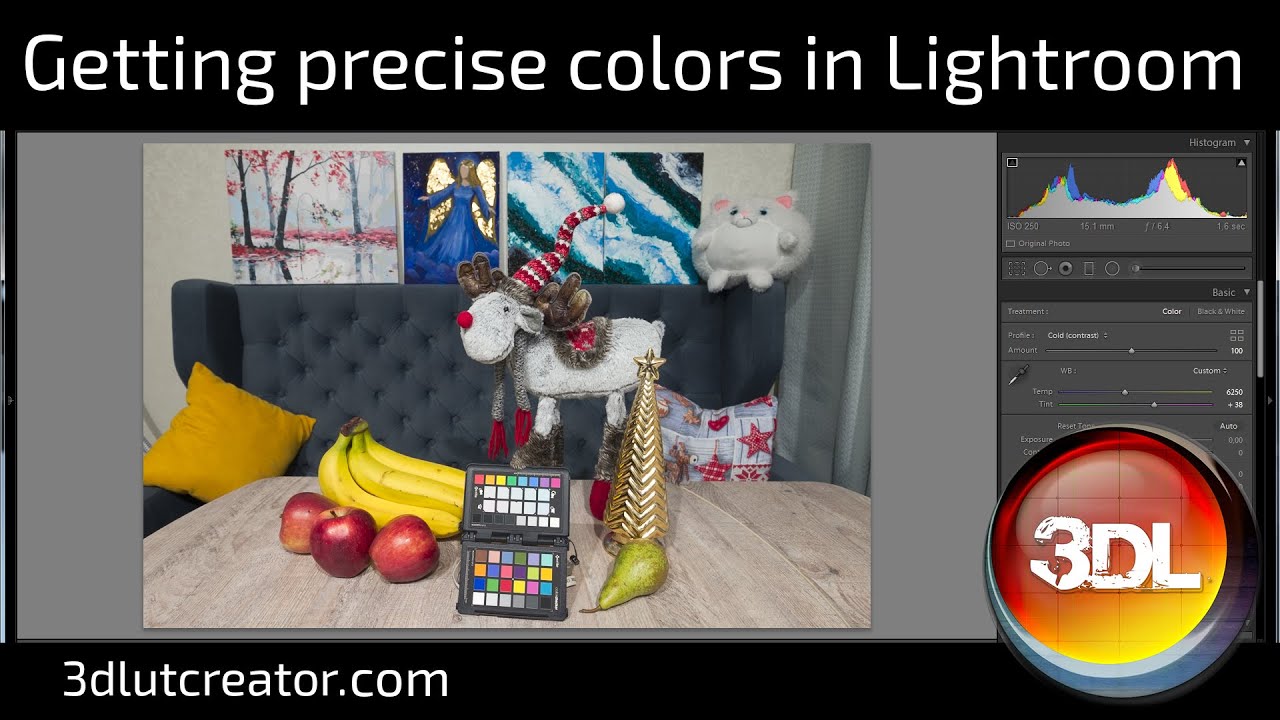
I took two shots on Fujifilm X-T2 with Auto white balance: the first photo was taken with cold light source; the second photo was taken with warm light. You need to calibrate the color based on RAW data, so first you need to develop these photos with a neutral profile, where there is neither contrast curve nor color matrix. I launch 3D LUT Creator, I don’t need to load an image here. I go to menu Image-Assign Color Profile-ProPhoro. Next, I select File-Export 3DLUT. Here is the folder where Adobe stores Camera profiles. You can find all paths in the video description. File format is .dcp. I will name it X-T2 flat profile. I select the basic profile from the folder with Adobe Standard profiles. Here you need to select a Standard profile for your camera. I have already selected profile for my X-T2. Here I tick off all checkboxes. As long as my profile is saved, I will restart Lightroom. Here I choose my Flat color profile. I’m going to apply it to both photos. Please, notice the important point: after assigning the profile you need to set the white balance! Photos can now be exported for calibration. The first shot I will name Flat Cold. You need to choose tiff, 16 bits, ProPhoto color space. I’ll name the second shot Flat Warm.
It’s time to calibrate! I load the first photo to 3D LUT Creator. I place the grid on top of the target. My calibration Method is Curves + Matrix. That's what happened! I got precise color without contrast. If you do not like the contrast that is built into camera profile, you can leave it like this. I will save this LUT. I will name it X-T2, cold, no contrast. If you like contrasting variant, you can select Standard profile curve from Film Curve drop-down list. I will keep this LUT, I will name it X-T2, cold, contrast. Now I’m going to do the same with another file. So, the calibration LUTs are ready, I can start creating profiles! I open Photoshop and load the first RAW file shot with cold light source. I choose Flat profile. I’m going to tab with presets, holding Alt key and clicking on the new preset icon. In this case, new profile will be created. I will name it Cold, no contrast. I’ll load my LUT file. Please, make sure to choose ProPhoto here. I click OK! My Profile is created! Now again I’m holding Alt and clicking on the icon of the new preset. I’ll name new profile Cold, contrast. I’ll load another LUT and select ProPhoto. Done! Now I’m going to load a photo with warm light source!
So, all profiles have been saved, now let's launch Lightroom. Notice how red color is very different. I will zoom in on the fragment. In fact, the apple is just that shade. Also pay attention to the table: it has yellow shade with Standard profile, but in fact it is pink!
It was a rather difficult lesson; there are quite a few nuances to consider, but if you do everything carefully, the result will please you! To make it easier for you to master this material, I will add a link to my RAW files in the video description. If something is not clear, you can ask me in the comments.
################################################
Where to save Neutral Flat profile: C:\Users\User name\AppData\Roaming\Adobe\CameraRaw\CameraProfiles
The folder with Adobe Standard profiles for your camera:
C:\ProgramData\Adobe\CameraRaw\CameraProfiles\Adobe Standard
My RAW files from the lesson: 3dlutcreator.ru/materials/lessons/calibration.zip
################################################
Platform supported: Windows and Mac
Download 3D LUT Creator Demo and try: http://3dlutcreator.com/
FOLLOW US:
► / 3dlutcreator
► / 3dlut. .
► https://vk.com/3dlutcreator
► / 3dlutcreator
DOWNLOAD 3DLUT mobile app HERE:
► App Store: https://goo.gl/vneRGx
► Google Play: https://goo.gl/CqN55x
Music: http://audionautix.com/









Информация по комментариям в разработке