Logo video2dn
  • Сохранить видео с ютуба
  • Категории
    • Музыка
    • Кино и Анимация
    • Автомобили
    • Животные
    • Спорт
    • Путешествия
    • Игры
    • Люди и Блоги
    • Юмор
    • Развлечения
    • Новости и Политика
    • Howto и Стиль
    • Diy своими руками
    • Образование
    • Наука и Технологии
    • Некоммерческие Организации
  • О сайте

Скачать или смотреть New Blu6 Charger App Function

  • Efest Company
  • 2016-10-28
  • 4764
New Blu6 Charger App Function
  • ok logo

Скачать New Blu6 Charger App Function бесплатно в качестве 4к (2к / 1080p)

У нас вы можете скачать бесплатно New Blu6 Charger App Function или посмотреть видео с ютуба в максимальном доступном качестве.

Для скачивания выберите вариант из формы ниже:

  • Информация по загрузке:

Cкачать музыку New Blu6 Charger App Function бесплатно в формате MP3:

Если иконки загрузки не отобразились, ПОЖАЛУЙСТА, НАЖМИТЕ ЗДЕСЬ или обновите страницу
Если у вас возникли трудности с загрузкой, пожалуйста, свяжитесь с нами по контактам, указанным в нижней части страницы.
Спасибо за использование сервиса video2dn.com

Описание к видео New Blu6 Charger App Function

Efest New Blu6 Charger Released on Aug. 1st

Outlooking is the same as old one, functions improved and added more new functions.

New Blu6 Charger operation:
1.Once charger is connected to an external power source, Blu6 begins to self-detect, LCD screen turn on, 6 battery indicators turn on, It goes to default 0.5A charge mode when self-detect is completed and then the 6 battery indicators turn off, standby for battery to begin charging.

2. Multifunction Button Operation
A.Short press to select slots
B.Long press to alternate charging mode

3.Please choose the suitable charging mode per battery, and then correctly insert to slot, Blu6 starts to work in 1 second. Meanwhile, the battery indicators will be red during charging, and it will turn green when batteries fully charged.When charging is completed, please unplug the adapter first, then take out the battery.

4.The LCD screen light will be offer( still in charging mode ) in 30 seconds without operation, and it will be on again with a press on the Multifunction button.

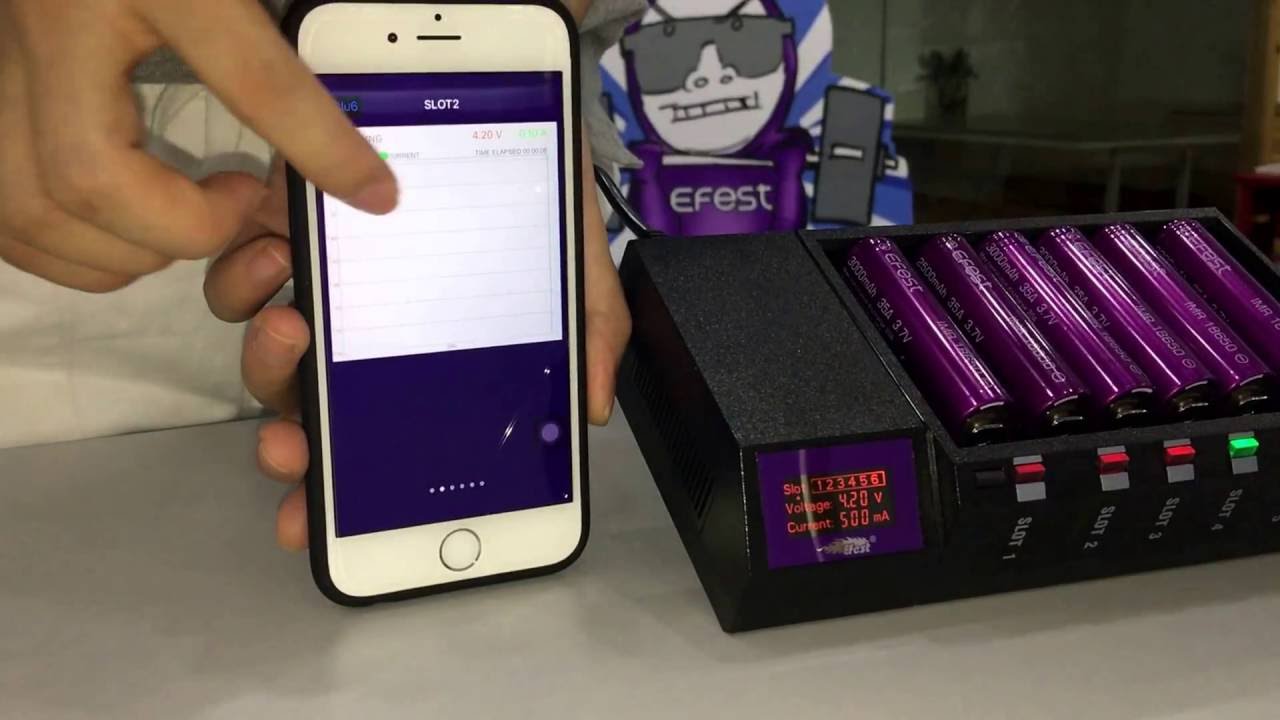
Efest Charger APP function operation:
Android(over 4.3 version) : Download the Blu6’s App to your Android phone via scanning the QR code from the charger’s gift box.
iOS:( over 7.0 version) Searching “ Efest Charger” in Apple App store and follow the steps to insert the App on your iOS phone.

Note: If you andriod phone verison over 6.0, please kindly turn on the locations setting when you install this APP.

Комментарии

Информация по комментариям в разработке

Похожие видео

  • О нас
  • Контакты
  • Отказ от ответственности - Disclaimer
  • Условия использования сайта - TOS
  • Политика конфиденциальности

video2dn Copyright © 2023 - 2025

Контакты для правообладателей [email protected]